

Kits AI pricing only makes sense once you know what you are paying for: voice conversion, voice cloning, or a broader vocal workflow. The free tier can be enough for lightweight testing, but real costs show up when you need more voice slots, more download minutes, better export flexibility, or clearer commercial use. If your goal is full-song creation rather than voice-only work, it is also worth comparing Kits AI with a more song-first workflow like MelodyCraft before choosing a plan.
Instead of starting with a headline monthly price, this guide follows the decision path most buyers actually take: match the workflow you need, confirm what each plan really includes, test the free tier carefully, check whether API pricing changes the math, and only then decide whether Kits AI is the right tool or whether a full-song alternative makes more sense.
Kits AI pricing at a glance: what you actually pay for
Kits AI pricing is not just a monthly number. The real cost depends on which workflow you need—voice conversion, voice cloning, API usage, or repeatable commercial output—and on what each plan actually lets you export.
Before paying, verify the current plan names, monthly vs annual billing, export and download rights, voice slot or model limits, commercial-use terms, and whether API pricing is billed separately. Those details usually matter more than the headline price alone.
At minimum, confirm whether the plan is optimized for:
Voice conversion (transforming existing vocals) vs voice creation/cloning (training a model you’ll reuse)
Commercial usage permissions (the part that matters most for client work and releases)

What to screenshot on the pricing page before you pay
Before you spend anything on kits ai pricing, take 2 minutes to screenshot the key plan details. This protects you if features change, you need to justify a purchase to a team, or you must prove what was included at checkout.
Screenshot these items (or copy them into a doc):
Monthly vs annual price (and the effective monthly if billed yearly)
Free tier / trial: what’s included, and whether it requires a payment method
Export rights: can you download stems/wavs, and is commercial use included?
Usage limits: credits, minutes, number of generations, or “fair use” caps
Queue / concurrency: how many jobs at once, and whether there’s priority processing
Audio limits: max length per upload, per export, and supported file types
Model access: which voices/models are included at each plan tier
Training/cloning: whether training is allowed, and if “better training” is a higher tier
Refund & cancellation: where it’s documented and where you cancel in-account
Screenshot the plan name + your account email + the checkout total on the same day. If you ever dispute a charge or downgrade, this saves time.
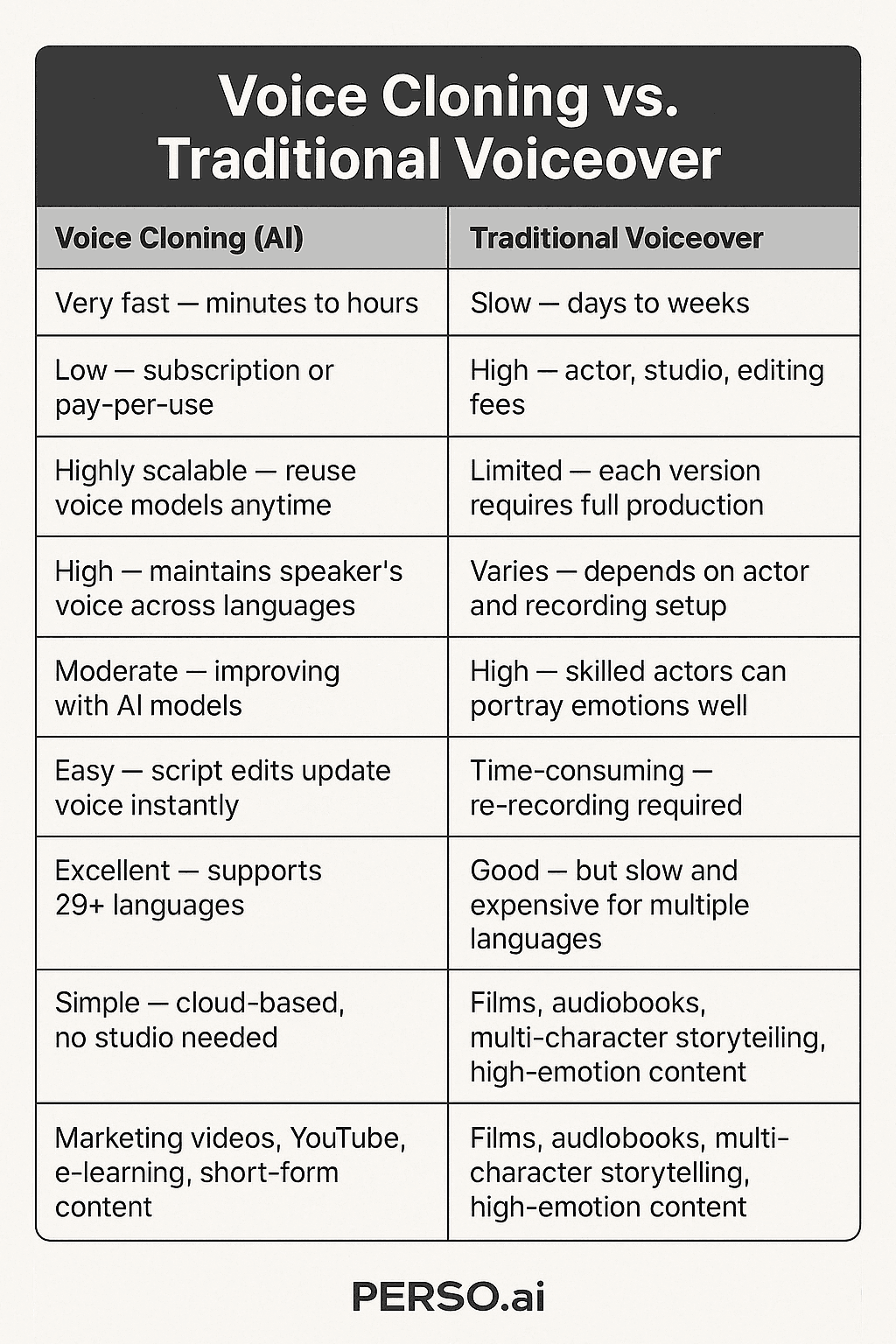
The real cost drivers: credits, export limits, and processing time
The headline Kits AI price can be misleading because voice workflows often have “soft costs”:
Credits/minutes drain when you rerun conversions to fix artifacts (sibilance, pops, timing)
Export constraints that force you to bounce multiple versions or upgrade “just to download”
Processing time / queue delays that turn a “cheap plan” into a deadline risk
A simple way to estimate your real monthly cost is to compute a “unit cost”:
Rough cost template (fill in from your plan):
Total monthly cost:
$____Included minutes/credits you actually use:
____Average retries per finished minute (quality fixes):
____(e.g., 1.3×)Finished minutes delivered per month:
Included / retriesEffective cost per finished minute:
Total cost / finished minutes
Example: If you regularly need 2–3 passes to get a clean take, your effective cost can double—especially if your plan also throttles exports or slows processing.
Kits AI plans explained: pricing per month, free tier, and who each one fits
The fastest way to choose among Kits AI pricing tiers is to ignore feature lists for a moment and ask: what job are you hiring the tool for, and what does that job cost you per month if you actually use the tool regularly?
Use this “task-first” mapping:
If you are still undecided, skim the next two sections and then pick the lowest tier that supports your task, your export needs, and the monthly usage pattern you expect to maintain.
If you only need voice conversion for existing vocals
If you’re doing covers, demos, or “try this vocalist on my topline,” voice conversion is usually the best value path in Kits AI.
A typical workflow looks like this: 1) Record or export dry vocals (minimal reverb, light compression) 2) Upload/import into Kits AI 3) Choose a voice model and convert 4) Bring the converted vocal back into your DAW for comping, tuning, and mix
What to judge (because it affects how many retries you’ll pay for):
Consonants & diction (does it smear T/K/S sounds?)
Breath detail (natural or “gated”/robotic)
Emotion retention (does it flatten dynamics?)
Pitch stability (drift on long notes or vibrato wobble)
If conversion is your only need, don’t overpay for training features you won’t touch—spend on speed/export reliability instead.
If you need your own model (voice cloning) for ongoing projects
If you want a consistent “house vocalist” sound, or you’re building a creator identity around a unique voice, cloning/training becomes the core value driver. Here, the plan choice is less about the sticker price and more about whether the plan supports repeatable, high-quality training.
The biggest success factor is data quality + proper authorization:
Record in a quiet space (no fans, no room rumble)
Use consistent mic distance (avoid proximity effect swings)
Capture multiple dynamics (soft, medium, belted)
Avoid heavy effects (no reverb, chorus, widening)
Keep files organized and labeled
Don’t train on vocals you don’t have rights to use. Even if a tool technically allows it, your risk shows up later—when monetizing on YouTube, delivering to a client, or distributing to streaming platforms.
Is Kits AI free? What you can realistically test on the free plan
Yes—Kits AI usually offers a free way to test the product, but the free tier is best treated as a workflow test, not a full production plan. The key question is not whether Kits AI is free to open, but whether the free credits are enough to test the exact voice conversion or cloning workflow you care about.
Use the free plan to check model quality, UI flow, and short export behavior. Do not assume it will tell you everything about long-form exports, commercial use, API costs, or sustained production speed without upgrading.
Last updated: April 2026 (verify on the product page before relying on any free/trial offer).
What you can usually test on a free plan/free credits:
UI workflow (upload → convert → export flow)
Basic quality on short clips
Model browsing and what voices are available
Whether your input recording style produces artifacts
What you often can’t fully validate without upgrading:
Long-form exports (full songs)
Commercial licensing clarity (sometimes gated behind paid tiers/terms)
Priority speed (queue time under peak usage)
Higher-quality training options (if applicable)
A practical upgrade decision rule: if your 15-minute test (below) yields a “publishable” 20–30 seconds with minimal cleanup, upgrading is likely worth it. If not, you’ll spend credits chasing fixes.
A 15-minute test routine to judge quality before upgrading
Use this quick routine to evaluate Kits AI with minimal bias and maximum signal.
Prepare one clean reference clip (2–3 minutes):
Pick 15–30 seconds with: sibilance (“s”), plosives (“p/b”), a sustained note, and one fast lyric line
Use the same dry vocal input for every test
Test 2–3 models in one pass: 1) Convert with Model A (export) 2) Convert with Model B (export) 3) Optional: one “wildcard” model you wouldn’t normally choose
Score each output (1–5):
Sibilance control (harsh “s” or smooth?)
Plosives (does “p/b” pop or distort?)
Note tails (does it glitch at the end of phrases?)
Vibrato realism (natural or wobbly/steppy?)
Pitch drift (stable over sustained notes?)
If you want to be extra systematic, import the outputs back into your DAW and level-match them before listening. Tiny loudness differences can trick your ear into “preferring” a louder render.
What you actually get for the money: quality, speed, and cloning approaches
When people argue about Kits AI pricing, they are usually arguing about value per finished result, not just the monthly fee. A plan that looks cheaper per month can still be more expensive in practice if it slows you down, limits exports, or forces too many retries.
If you need release-ready vocals, quality dominates.
If you publish daily content, speed and reliability can matter more than perfection.
If you’re cloning a voice for repeated projects, training approach determines long-term consistency.
A more useful way to judge “worth it” is to separate three things:
Output quality (how much manual cleanup you’ll do)
Throughput (how many renders you can finish per hour/day)
Consistency (will outputs vary across sessions?)
If a cheaper plan slows you down or limits exporting, it can be more expensive in practice—especially for client work.
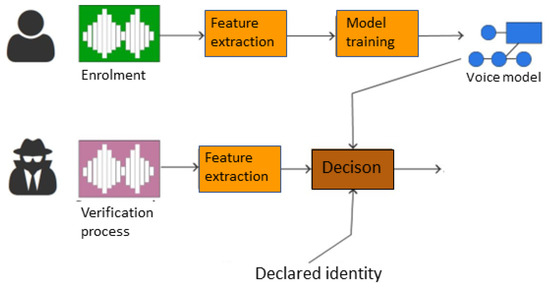
Kits AI API pricing: when separate pricing changes the math
If you are evaluating Kits AI API pricing, do not assume it follows the same logic as creator plans. API costs matter only when you need repeatable, programmatic voice workflows at scale, and they can change the economics completely compared with a manual subscription workflow.
What to check before comparing API pricing with monthly plans:
Whether billing is usage-based, contract-based, or tied to higher-volume access
Whether the API gives access to the same models and export rights as the web app
Whether rate limits, concurrency caps, or enterprise minimums change the real cost
Whether commercial terms differ for API-generated output
Commercial use, copyright, and ethical sourcing
For many users, the real blocker isn’t the kits ai price—it’s: Can I monetize this safely?
Risk depends on where the output goes:
YouTube monetization: content ID claims, impersonation complaints, platform policy issues
Client projects: contract liability, usage rights, reputational risk
Streaming distribution: takedowns, distributor rejection, legal disputes
If you’re comparing ecosystems and licensing posture, this overview-style comparison is a useful starting point: Kits AI vs Soundverse: choosing the right AI vocal generator.
A practical way to reduce risk is to document:
Who performed the source vocals
What permissions you have
What model you used (and whether it’s approved for commercial use)
Where the content will be published
Can you legally clone celebrity voices with Kits AI?
In most real-world scenarios, cloning celebrity voices is high risk without explicit permission. This isn’t legal advice—but it’s the practical reality of rights, publicity, and platform enforcement.
If you’re unsure, treat this as your rule of thumb:
If you don’t own the voice rights and don’t have permission, don’t build a commercial workflow around it.
Also check the tool’s and platform’s policies—what’s “possible” isn’t always “allowed.”
For additional context on how users discuss Kits AI capabilities and limitations, see this review-style breakdown: Kits AI review.
Safer alternatives that still get you great results:
Train on your own voice
Get a session singer agreement that explicitly allows training and commercial use
Use platform-provided, commercially cleared models (when available)
Fairly Trained certification and artist compensation
Ethical sourcing matters because it affects whether your workflow stays usable long-term. If a platform emphasizes ethically trained data or artist authorization, that can reduce the chance of future restrictions, takedowns, or policy shifts that break your catalog.
In the context of tools like Kits AI, “Fairly Trained” is often discussed as a signal that a product is trying to formalize consent and compensation. The practical takeaway: the more explicit the permissions and compensation model, the safer it tends to be for commercial pipelines—even if the subscription looks a bit higher.
If you want a quick overview of how this topic shows up in AI vocal tool comparisons, the same reference above is a helpful read: Kits AI vs Soundverse.
Kits Earn: can you monetize your own voice model?
If you’re a vocalist or creator, “Kits Earn” style programs are appealing: you publish a voice model and (in theory) earn from usage.
A realistic way to evaluate whether it’s worth your time:
Demand: do people actually want your vocal tone (genre fit matters)?
Audience: do you have fans or producer relationships that will try it?
Consistency: can you update and maintain a high-quality model over time?
Differentiation: is your voice unique enough vs existing options?
If you’re building a monetizable “voice brand,” the plan you choose should prioritize training quality and clear commercial terms over raw conversion volume.
Kits AI pricing vs alternatives: what’s cheaper for your specific goal?
“Kits AI vs alternatives” only makes sense once you define the output you want. If your goal is voice conversion or cloning, Kits AI belongs in the comparison. If your goal is full AI songs from an idea, prompt, or lyric concept, you may be comparing the wrong type of tool.
For creators who want complete songs rather than only transformed vocals, it is worth comparing Kits AI with an end-to-end music workflow. Explore the MelodyCraft product page if you want a more song-first path before committing to a voice-only plan.
If you want full AI songs (not just voice conversion), consider this route
If what you actually want is “type an idea and get a full track,” voice conversion tools can feel like a detour. In that situation, MelodyCraft is the more direct comparison because it starts from song creation rather than only vocal transformation.
Here’s the clean split:
If you’re more interested in full-track output, starting with a platform designed for song generation can be cheaper and faster than stacking multiple tools. That’s where MelodyCraft fits: it’s built for turning a concept into a song draft you can iterate on, rather than only swapping a vocal identity.


Want a song-first workflow instead of voice-only tools?
Explore the MelodyCraft product page if you want complete AI songs before committing to a voice-only workflow.
Quick comparison table: Kits AI vs MelodyCraft vs a voice changer workflow
Below is a practical comparison focused on inputs/outputs and what drives cost. (For a broader look at classic voice changers, this roundup is useful: best voice changer software comparison.)
If you’re deciding purely on “cheaper,” pick the option that matches the output you need. Paying less for the wrong output is still expensive.
Kits AI promo code: do they exist, and how to avoid coupon scams?
Searching for a Kits AI promo code is normal, but treat coupon pages carefully. A promo is only real if it works on the official checkout page and changes your final total.
Third-party coupon pages can be useful as leads, but they are not proof. The checkout page is the only place that confirms whether a discount is valid today.
What legitimate discounts often look like (varies by time/region):
Annual billing discount vs monthly
Limited-time promos tied to launches/events
Creator/education campaigns (availability may be limited)

Where real Kits AI promo codes usually come from
“Verified” should mean you can reproduce the discount yourself on the official checkout page—today.
More reliable promo sources usually include:
Kits AI’s own emails or in-app banners
Official creator partnerships (where the code is shown publicly and consistently)
Checkout auto-applied promos
Less reliable sources include:
Random “coupon generator” sites
Browser extensions asking for broad permissions
Anyone asking for your login to “apply the discount for you”
Never share your Kits AI password to “get a promo code,” and do not install unknown coupon plugins. A small discount is not worth risking account or payment access.
How to apply a Kits AI promo code and confirm the final price
Use this short checklist so you can confirm the final Kits AI price after the promo is applied:
1) Log in to your Kits AI account 2) Open pricing and select the plan you want 3) Toggle monthly vs yearly (promos may apply to one only) 4) Go to checkout and enter the promo code 5) Confirm the discount line item updates (not just a “code accepted” message) 6) Check the final total, including taxes/VAT if shown 7) Screenshot the checkout page with the discounted total for your records
If the code doesn’t work, troubleshoot in this order:
Code expired or limited redemptions reached
Plan doesn’t qualify (often only new subscribers or annual billing)
Region/currency restrictions
You already have another discount applied
Is Kits AI worth it? Real-world scenarios that justify the monthly cost
“Kits AI worth it?” depends on whether it saves you more time (or enables more output) than it costs. Use these scenarios as quick decision shortcuts—each includes a simple “save money” strategy.

Producers making covers, demos, and toplines
Recommended if: you need to audition multiple “vocal identities” fast, or deliver alt versions to collaborators. Not recommended if: you expect one-click, release-ready vocals with zero cleanup.
Why it can be worth it:
Faster iteration: you can test different vocal colors before committing to a singer
Better client communication: “here are 3 vocal directions” beats a vague description
Money-saving strategy:
Convert short hooks first (15–30 seconds). Only render full takes after the hook is approved.
Keep a consistent dry-vocal template so you don’t waste credits on preventable artifacts.
You’ll also see mixed user experiences in community threads—some love the speed, others dislike the cleanup overhead. If you browse discussions like this one, treat them as workflow hints, not universal truth: Is Kits AI worth it? (community thread).
YouTubers and short-form creators who need fast turnaround
Recommended if: you publish frequently and need quick, consistent results. Not recommended if: your content depends on pristine vocal realism (e.g., isolated acapella showcases).
What matters more than “perfect”:
Stability (fewer failed renders)
Speed (short queue times)
Repeatability (consistent settings across episodes)
Practical workflow tips:
Build a reusable “15-second script” template to test models quickly before committing
Batch your renders: do all conversions in one session, then edit/mix in a second pass
Keep an “approved models” shortlist so you’re not re-evaluating every upload
Canceling, refunds, and switching plans without losing projects
Subscription anxiety is real—especially if you’re unsure about exports, cancellations, or whether you’ll lose access to projects.
Because policies can change, the safest approach is to confirm these items before purchasing and again before canceling:
Where cancellation happens (billing portal vs in-app)
Whether canceling ends access immediately or at the end of the cycle
Whether you can still download existing exports after canceling
Any refund eligibility windows and what counts as “usage”
What happens to trained models and stored projects on downgrade
Best practice:
Screenshot your account/billing page showing your plan, renewal date, and cancellation status.
Export anything important (audio + project notes) before switching tiers.
FAQs about Kits AI pricing, free plans, API pricing, and promo codes
Q: What does Kits AI pricing per month actually buy?
A: It buys a specific workflow capacity, not just access. What matters is how much voice conversion, cloning, exporting, and retry volume you can realistically complete within that monthly limit.
Q: My Kits AI promo code says “applied” but the total did not change—why?
A: Many codes are plan-specific, region-locked, expired, or limited to annual billing. The only reliable check is whether the checkout subtotal and final total actually update.
Q: Is Kits AI API pricing separate from creator plans?
A: Often yes in practice. API pricing should be evaluated separately because usage-based billing, access rules, and commercial terms may differ from ordinary creator subscriptions.
Q: Is the Kits AI free tier enough to test before upgrading?
A: Usually yes for a structured short test. It is enough to judge model quality and workflow fit, but not always enough to judge long-form exporting, sustained production speed, or full commercial readiness.