

Musicful AI vous permet de créer des chansons complètes à partir d'invites textuelles, de paroles collées ou même d'une mélodie fredonnée, sans aucune compétence musicale requise. Dans cette revue, nous testons chaque méthode d'entrée de manière pratique (y compris le créateur de phonk), comparons les quatre niveaux de prix, du gratuit au Pro, évaluons la qualité sonore et les voix par rapport à Suno et Udio, et partageons trois conseils pour obtenir des résultats sensiblement meilleurs. Si vous explorez les outils de musique IA, MelodyCraft vaut la peine d'être comparé pour ses capacités de génération vocale et d'édition de mélodie.
Musicful s'est rapidement positionné comme l'un des générateurs de musique IA les plus accessibles du marché, promettant la création de chansons complètes à partir d'une simple invite textuelle, d'un ensemble de paroles ou même d'une mélodie fredonnée. Mais est-ce que cela tient réellement ses promesses ? Dans cette revue de Musicful AI, nous analysons chaque fonctionnalité, testons le flux de travail "fredonnement-musique" de manière pratique, comparons les niveaux de prix et vous donnons un avis honnête sur la qualité du son, les voix et les licences commerciales - afin que vous puissiez décider si cela mérite une place dans votre boîte à outils créative.
Que vous soyez curieux de la fonctionnalité de transformation de fredonnement en musique, que vous compariez les niveaux de tarification de Musicful AI ou que vous vous demandiez simplement si cela vaut votre temps, ce guide est là pour vous. Nous avons testé chaque méthode de saisie, comparé la sortie à Suno et Udio, et décomposé exactement ce que vous obtenez à chaque niveau de prix — afin que vous puissiez éviter les conjectures.
Qu'est-ce que Musicful AI et à qui s'adresse-t-il ?
Musicful AI est un générateur de musique IA basé sur navigateur et mobile, conçu pour permettre à quiconque, quelle que soit sa formation musicale, de créer des chansons complètes en quelques minutes. Il cible les créateurs de contenu, les YouTubers, les podcasteurs, les développeurs de jeux indépendants et les amateurs qui ont besoin de musique originale mais qui n'ont pas les compétences ou le budget pour la produire de manière traditionnelle.
La plateforme se différencie en prenant en charge plusieurs méthodes d'entrée au-delà des simples invites textuelles. Vous pouvez coller des paroles complètes, fredonner une mélodie directement dans votre microphone ou télécharger une piste audio de référence pour guider la sortie de l'IA. Cette flexibilité rend le générateur de musique Musicful AI attrayant pour un public plus large que les outils qui n'acceptent que des descriptions textuelles.
L'interface est claire et conviviale pour les débutants. Il n'y a pas de timeline de type DAW à parcourir : vous décrivez ce que vous voulez, choisissez un genre et une ambiance, et l'IA gère l'arrangement, l'instrumentation et la génération de voix. Les chansons peuvent durer jusqu'à huit minutes, ce qui est sensiblement plus long que ce que la plupart des concurrents autorisent.
Méthodes d'entrée prises en charge : Texte, Paroles, Fredonnement et Téléchargement Audio
Le générateur de musique IA Musicful prend en charge quatre façons distinctes de démarrer un morceau, chacune adaptée à différents points de départ créatifs :
Description du texte — Saisissez une invite en langage naturel comme "hip hop lo-fi optimiste avec piano jazz et douces voix féminines." L'IA interprète l'ambiance, le tempo et l'instrumentation à partir de votre description et génère un arrangement complet.
Saisie des paroles — Collez ou saisissez vos propres paroles directement. Musicful structure la chanson autour de vos mots, en attribuant automatiquement les couplets, les refrains et les ponts. C'est idéal si vous avez déjà une chanson écrite mais pas de capacité de production.
Fredonnement / Chant — Enregistrez un court extrait vocal — fredonnement, sifflement ou chant — et l'IA analyse le contour mélodique pour construire une chanson complète autour de celui-ci. Cette fonctionnalité de fredonnement à musique est l'une des offres les plus distinctives de Musicful.
Téléversement audio de référence — Téléversez une piste existante comme référence de style. L'IA ne copie pas la chanson, mais l'utilise pour correspondre au genre, à l'énergie et au style de production. Ceci est utile lorsqu'un client dit « Je veux quelque chose qui ressemble à ceci » et que vous avez besoin d'un point de départ rapide.

Comment créer une chanson avec Musicful AI (étape par étape)
Passer de zéro à un morceau fini avec l'application Musicful prend environ cinq minutes. Voici le processus que nous avons suivi lors des tests — aucune théorie musicale n'est requise.
Étape 1 : Inscrivez-vous et choisissez votre méthode de saisie. Créez un compte gratuit via l’application Web ou téléchargez l’application iOS/Android. Sur le tableau de bord principal, sélectionnez si vous souhaitez commencer avec une invite de texte, des paroles, un fredonnement ou une piste de référence. L’application mobile reflète fidèlement l’expérience Web, bien que la fonctionnalité de fredonnement soit légèrement plus intuitive sur mobile, car vous pouvez enregistrer directement sans configurer un microphone de navigateur.
Étape 2 : Saisissez votre direction créative. Si vous avez choisi du texte, rédigez une invite détaillée. Si vous avez choisi des paroles, collez-les et ajoutez éventuellement une note de style (par exemple, « folk acoustique, chanteur masculin, 90 BPM »). Plus vous êtes précis sur les instruments, l’ambiance et le tempo, plus le résultat correspondra à votre vision.
Étape 3 : Sélectionnez le genre, le style et la version du modèle. Choisissez parmi des genres tels que la pop, le hip-hop, l’EDM, le jazz, le classique, le phonk et plus encore. Vous pouvez également choisir la version du modèle d’IA : la version V1.0 est disponible dans le forfait gratuit, tandis que les versions V1.5 et V2.0 offrent une clarté vocale et une complexité d’arrangement améliorées dans les niveaux payants.
Étape 4 : Générer, Prévisualiser et Exporter. Cliquez sur « Créer » et patientez environ 30 à 90 secondes. Musicful génère deux variations par défaut. Prévisualisez les deux, puis téléchargez votre version préférée au format MP3, WAV ou — avec les plans Standard et Pro — sous forme de pistes séparées ou de fichiers MIDI.
Générez au moins trois ou quatre variations avant de vous décider pour une piste finale. L'IA produit des arrangements sensiblement différents à chaque fois, et la troisième ou quatrième tentative cerne souvent mieux l'ambiance que la première.
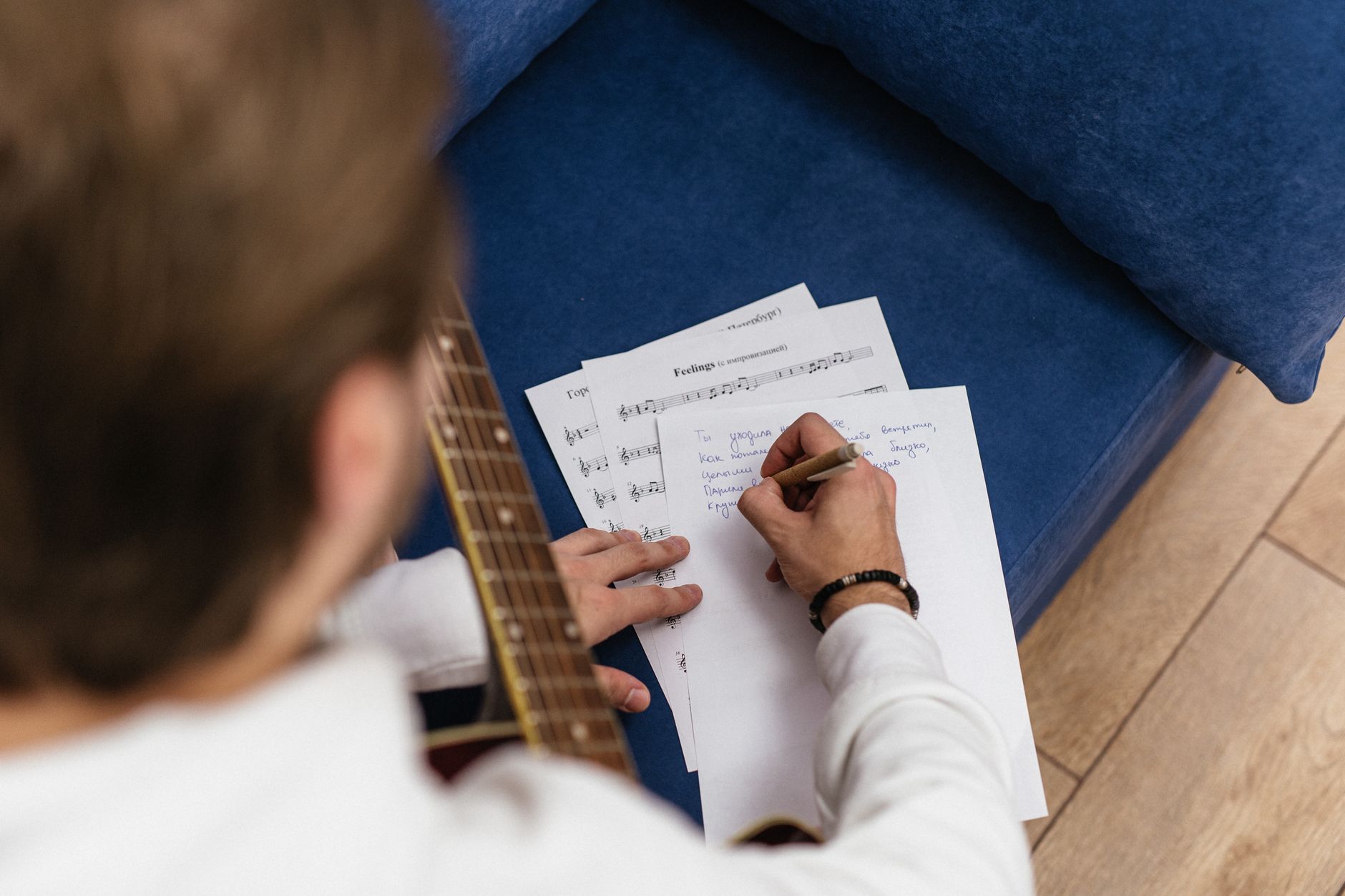
Peut-on vraiment fredonner une mélodie et obtenir une chanson complète ?
C'est une fonctionnalité que la plupart des tests concurrents ne mentionnent qu'en passant, nous l'avons donc testée en profondeur. Le pipeline IA fredonnement vers musique de Musicful fonctionne comme ceci : vous enregistrez un clip vocal de 10 à 30 secondes (fredonnement, chant ou même sifflement) et l'IA extrait le contour mélodique, identifie la tonalité et le tempo, et construit une chanson entièrement arrangée autour de votre mélodie.
Quelle est sa précision ? Lors de nos tests, l’IA a très bien géré les fredonnements clairs et réguliers. Elle a correctement identifié la tonalité dans environ 8 tentatives sur 10 et a fidèlement conservé la forme mélodique. Lorsque nous avons délibérément fredonné légèrement hors ton, le système a tout de même produit des résultats utilisables : il semble privilégier les intervalles relatifs par rapport à la hauteur absolue, ce qui est indulgent pour les non-chanteurs.
Points faibles : Le bruit de fond est le principal ennemi. L’enregistrement dans une pièce calme a fait une différence considérable par rapport à un fredonnement dans un café. Les clips très courts (moins de 8 secondes) ont également dérouté l’IA, produisant des mélodies génériques qui ressemblaient à peine à l’entrée. Nous recommandons de viser 15 à 25 secondes de fredonnement clair pour obtenir les meilleurs résultats.
The output: Les chansons générées comprenaient une instrumentation complète, des harmonies vocales et des sections structurées (intro, couplet, refrain, outro). L'IA ne se contente pas de boucler votre mélodie : elle la développe, en ajoutant des contre-mélodies et des progressions d'accords qui semblent musicalement cohérentes. Pour les créateurs qui ont un air en tête mais aucun moyen de le produire, cette fonctionnalité justifie à elle seule d'essayer l'outil de Musicful qui transforme le fredonnement en musique.
Fredonnez à un tempo modéré et évitez de vous précipiter. L'IA analyse le rythme ainsi que la hauteur, donc un rythme régulier lui donne plus de matière à travailler.
Créer des Beats Phonk avec Musicful AI Phonk Maker
Si vous avez recherché un générateur de beats phonk dédié, Phonk Maker de Musicful mérite un examen approfondi. La plateforme prend en charge plusieurs sous-genres de phonk, y compris le Memphis Phonk (sombre, riche en samples, axé sur la cloche), le Drift Phonk (basse agressive, 808s distordus, adapté aux vidéos de montage automobile) et le Brazil Phonk (influencé par le funk carioca, BPM plus rapide, beaucoup de coups de cuivres).
Voici trois modèles d'invites que vous pouvez coller directement dans le générateur de phonk Musicful AI pour obtenir des résultats solides :
Drift Phonk : « Drift phonk agressif, 140 BPM, basse 808 distordue, motif de cloche de vache, nappes atmosphériques sombres, pas de voix, montée en puissance cinématique »
Memphis Phonk : « Memphis phonk avec des échantillons vocaux hachés, une texture de cassette lo-fi, des triple hi-hats, une basse profonde, 130 BPM, une mélodie de synthé étrange »
Brazil Phonk : « Brazil phonk, 150 BPM, coups de cuivres, percussion funk carioca, compression sidechain intense, énergique et chaotique, court vocal de tag de DJ »
Chaque requête a généré un morceau qui capturait l'identité sonore principale de son sous-genre en environ 60 secondes. Le résultat drift phonk, en particulier, avait le genre de punch distordu dans les basses qui conviendrait parfaitement à un montage de voiture ou de salle de sport. Pour les créateurs de contenu court sur TikTok ou YouTube Shorts, c'est un moyen rapide d'obtenir des pistes d'accompagnement adaptées au genre sans problèmes de licence.
Tarification de Musicful AI : Gratuit vs Basic vs Standard vs Pro
Comprendre la tarification de Musicful AI est essentiel avant de s'engager, car l'écart entre le niveau gratuit et les plans payants est important.


Transformez vos idées en chansons — Aucune compétence requise
MelodyCraft vous permet de créer des pistes complètes à partir de texte, de paroles ou d'une mélodie — tout comme Musicful, avec plus de contrôle créatif.
Il existe également un plan à vie à 249,99 $ qui débloque les fonctionnalités de niveau Pro de façon permanente — une option raisonnable si vous prévoyez d'utiliser l'outil pendant plus de trois ans environ.

Le forfait gratuit est-il suffisant pour les créateurs occasionnels ?
Le plan gratuit de Musicful AI est parfait pour une chose : explorer la plateforme et comprendre ce qu'elle peut faire. Vous pouvez générer des chansons, les prévisualiser dans le navigateur et expérimenter différents genres et invites. Pour l'écoute personnelle, l'apprentissage du fonctionnement de la génération de musique par l'IA ou le partage de démos non commerciales avec des amis, il couvre les bases.
Cependant, les limitations sont réelles. Vous ne pouvez pas télécharger de pistes, la sortie porte un filigrane, il n'y a pas de licence d'utilisation commerciale, et vous êtes limité à l'ancien modèle V1.0 — qui produit des voix et des arrangements nettement moins soignés que les versions V1.5 ou V2.0. Si vous prévoyez d'utiliser de la musique générée dans une vidéo YouTube, un podcast ou un projet client, vous devrez effectuer une mise à niveau.
Ne présumez pas que les pistes du niveau gratuit sont autorisées pour un usage commercial. Même le partage sur des chaînes de médias sociaux monétisées sort techniquement des conditions de la licence du plan gratuit.
Quel forfait offre le meilleur rapport qualité-prix ?
Le bon forfait dépend de la fréquence à laquelle vous créez et de l'usage que vous faites de la musique.
Hobbiste occasionnel → Basique à 4,99 $/semaine vous donne suffisamment de crédits pour 10 à 15 chansons par semaine avec accès au téléchargement. Abonnez-vous uniquement pendant les semaines où vous en avez activement besoin.
Créateur de contenu (YouTube, podcasts, réseaux sociaux) → Standard à 9,99 $/mois est le choix idéal. La licence commerciale, la séparation des stems et la génération de MV en font un outil complet de production de contenu.
Utilisateur intensif ou petit studio → Pro annuel à 7,08 $/mois offre 25 000 crédits, soit suffisamment pour environ 400 à 500 chansons par mois. À ce volume, le coût par chanson tombe à environ 0,02 à 0,06 $, ce qui est difficile à battre par rapport aux bibliothèques de musique de stock.
Pour un aperçu plus large des outils de musique IA et de leurs structures de prix, il est utile de comparer les différentes plateformes avant de s'engager dans un abonnement.
Qualité sonore, voix et licences commerciales : un avis honnête
Cette évaluation de Musicful AI serait incomplète sans aborder les trois aspects les plus importants : la qualité sonore de la musique, le naturel des voix et ce que vous pouvez légalement faire avec le résultat.
La qualité sonore du modèle V2.0 est véritablement impressionnante pour de la musique générée par IA. Les mixages sont équilibrés, les instruments sont bien séparés et la production globale se situe confortablement aux côtés de la musique de stock libre de droits provenant de bibliothèques premium. Le modèle V1.0, en revanche, sonne sensiblement plus mince et plus "synthétique".
La qualité vocale est mitigée. Sur la pop, le R&B et les morceaux acoustiques, les voix de l'IA sonnent étonnamment humaines : vibrato naturel, phrasé crédible et diction claire. Sur les genres plus rapides comme le rap ou le phonk avec des schémas lyriques complexes, le modèle V1.5 « saute » parfois des mots ou place mal l'emphase. Le modèle V2.0 s'améliore sur ce point, mais n'est toujours pas parfait.
La licence commerciale suit un modèle de licence perpétuelle non exclusive. Lorsque vous générez une chanson avec un plan payant incluant les droits commerciaux, vous pouvez l'utiliser dans des vidéos, des jeux, des publicités et sur des plateformes de streaming. Cependant, Musicful conserve la propriété de la composition sous-jacente : vous recevez une licence d'utilisation, et non un transfert complet des droits d'auteur. Ceci est la norme sur les plateformes de musique IA, mais il est important de le comprendre si vous prévoyez d'enregistrer des pistes auprès d'une PRO ou d'un distributeur.
Ce que disent les vrais utilisateurs (Trustpilot et App Store)
Les commentaires des utilisateurs sur Trustpilot se situent actuellement à 4,2 étoiles sur 5, ce qui place Musicful au-dessus de la plupart des concurrents de musique IA en termes de satisfaction utilisateur.

Thèmes positifs : Plusieurs commentateurs soulignent la rapidité avec laquelle ils peuvent passer de l'idée à la chanson terminée. Plusieurs YouTubers mentionnent que la clarté de la licence commerciale leur a donné la confiance nécessaire pour utiliser des pistes dans du contenu monétisé. Les délais de réponse du service client reçoivent également des éloges constants : plusieurs utilisateurs signalent avoir reçu des réponses utiles dans les 24 heures.
Thèmes négatifs : Une plainte récurrente concerne le modèle V1.5 qui produit des voix qui parfois « sautent » des mots ou changent de style en milieu de chanson. Certains utilisateurs signalent également que certaines invites de genre (en particulier le jazz et la musique classique) produisent des résultats qui semblent plus formulaires que nuancés. Quelques commentaires sur l’App Store mentionnent que l’application mobile accuse parfois un certain retard pendant le processus de génération sur les appareils plus anciens.
Dans l'ensemble, l'opinion générale est que Musicful offre une grande valeur pour son prix, la plupart des critiques étant dirigées vers des cas marginaux plutôt que vers les fonctionnalités de base.
Musicful contre Suno contre Udio : Comment se comparent-ils ?
Choisir entre les trois principaux générateurs de musique IA dépend de ce que vous privilégiez. Voici comment Musicful AI se compare à Suno et Udio selon les dimensions les plus importantes :
Explorez une autre façon de créer de la musique avec l'IA
MelodyCraft offre la génération de chansons par IA, la création de paroles et les reprises vocales, le tout sur une seule plateforme.
Les avantages de Musicful sont axés sur la flexibilité : entrée de type fredonnement-en-musique, exportation de pistes séparées et MIDI, génération de MV et la durée de chanson à génération unique la plus longue, soit 8 minutes. Ces caractéristiques le rendent particulièrement utile pour les créateurs de contenu qui ont besoin d’éléments prêts pour la production.
Suno excelle dans l'expressivité vocale et a bâti un écosystème communautaire solide où les utilisateurs partagent, remixent et découvrent des morceaux. Si la performance vocale est votre priorité absolue, le rendu de Suno est souvent plus dynamique sur le plan émotionnel.
Udio se distingue par sa fonctionnalité Inpainting, qui vous permet de sélectionner une section spécifique d'un morceau généré et de ne régénérer que cette partie — un niveau de contrôle précis qu'aucun Musicful ni Suno n'offre actuellement. Sa sortie 48kHz est également en avance sur la fidélité audio brute.
Pour les créateurs qui souhaitent une solution tout-en-un avec les options d'entrée les plus diverses, le générateur de musique Musicful AI offre l'ensemble de fonctionnalités le plus large. Pour ceux qui ont besoin d'un contrôle d'édition chirurgical, Udio est le choix le plus judicieux.
3 conseils pour obtenir de meilleurs résultats avec Musicful AI
La plupart des utilisateurs saisissent une invite vague d'une ligne et se demandent pourquoi le résultat semble générique. Ces trois stratégies, tirées de tests approfondis, amélioreront considérablement vos résultats.
1. Soyez précis sur le BPM, les instruments et l'ambiance. Au lieu de "chanson triste au piano", essayez : "Ballade mélancolique pour piano solo, 72 BPM, tonalité mineure, réverbération douce, ambiance cinématographique, pas de batterie, voix féminine au ton rauque." L'IA réagit bien aux instructions musicales concrètes. Nommer des instruments spécifiques, des plages de tempo et des qualités de production donne au modèle beaucoup plus de matière à travailler.
2. Testez plusieurs styles sur le plan gratuit avant de payer. Avant de vous engager dans un abonnement, utilisez vos crédits gratuits quotidiens pour générer des pistes dans cinq ou six genres différents. Cela vous aide à comprendre où Musicful excelle (pop, lo-fi, phonk, EDM) et où il est moins fiable (jazz complexe, orchestral). Connaître les forces de la plateforme vous permet d'économiser des crédits payants plus tard.
3. Utilisez un son de référence pour correspondre à un son cible. Si vous avez une direction sonore spécifique en tête, par exemple un morceau qui ressemble au style de production d'un artiste en particulier, téléchargez un extrait audio de référence. L'IA ne copiera pas la chanson, mais elle correspondra à l'énergie, à la densité de l'arrangement et à la palette tonale. Ceci est particulièrement puissant pour le travail avec les clients où « faites en sorte que ça ressemble à X » est le brief.
Pour plus de conseils de production et de flux de travail créatifs, consultez le blog MelodyCraft pour des guides sur la façon de tirer le meilleur parti des outils de musique IA.
Musicful AI : Est-ce que ça vaut le coup en 2026 ?
Après des tests pratiques approfondis, cet avis sur Musicful AI aboutit à un verdict clair : Musicful est un excellent choix pour les créateurs de contenu, les amateurs et tous ceux qui ont besoin de musique originale rapidement sans expérience en production. La fonctionnalité de fredonnement vers musique est vraiment unique, le créateur de phonk offre des résultats précis pour le genre, et les prix — en particulier sur le plan annuel Pro — sont compétitifs.
Musicful est idéal pour : les YouTubers et podcasteurs qui ont besoin de musique de fond ou d’intros, les développeurs de jeux indépendants à la recherche de bandes originales adaptatives, les créateurs de médias sociaux produisant du contenu de courte durée à grande échelle et toute personne qui a des mélodies en tête mais aucun moyen de les produire.
Musicful est moins adapté pour : Les producteurs de musique professionnels qui ont besoin d'un contrôle précis du mixage, les artistes qui exigent la pleine propriété des droits d'auteur des pistes générées, ou toute personne travaillant dans des genres qui exigent des arrangements très nuancés (jazz d'avant-garde, partitions orchestrales complexes).
Si vous hésitez, le forfait gratuit ne coûte rien et vous offre suffisamment d'espace pour tester chaque méthode de saisie et chaque genre. Commencez par là, générez quelques pistes et jugez vous-même de la qualité. Pour la plupart des créateurs, le passage du forfait gratuit au forfait Standard semblera une amélioration évidente une fois que vous aurez entendu ce que le modèle V2.0 peut faire.
Créez votre premier morceau d'IA dès aujourd'hui
Transformez une invite, des paroles ou une mélodie fredonnée en une chanson soignée, sans aucune compétence musicale requise.