

Udio is still one of the most impressive AI music tools in 2026 if you care about raw audio quality, more detailed editing potential, and a workflow that can lead to more polished-sounding songs. It especially appeals to creators who are willing to trade some speed and simplicity for stronger vocals, richer sound, and more production-style control.
But Udio is not the easiest recommendation for everyone. Credit limits, trial limitations, and the current download/export situation make it a more complicated choice than a simple feature list suggests. This Udio review breaks down where it still shines, where the trade-offs are real, and who should keep using it versus choose something faster.
Most people searching for Udio review are not asking whether Udio can generate music at all. They already know it can. What they really want to know is whether Udio is still worth using now, whether the quality is strong enough to justify the extra friction, and how the pricing, downloads, and licensing situation affect real creators. That is why this review focuses on the actual decision factors behind the query: quality, control, credits, exports, and whether Udio fits the way you create.
Udio review: quick verdict
Udio is still one of the strongest AI music tools if your first priority is audio quality, vocal realism, and the feeling that the output can become something more than a disposable draft. It makes the most sense for creators who are willing to experiment, compare multiple versions, and spend more time shaping a result that sounds more polished.
But Udio is also harder to recommend casually than it once was. Credit limits, trial limitations, and the current export/download situation make it less straightforward for creators who just want to move quickly from idea to usable song. If your top priority is a faster song-first workflow with less friction, MelodyCraft is also worth comparing.
What Udio actually does best
The fastest way to understand Udio is to stop thinking of it as just another prompt-to-song app. Udio’s strongest case is not that it can make songs from text. Many tools can do that now. Its strongest case is that, when it works well, the results can sound more refined, more vocal-forward, and more production-ready than the average AI music draft.
That is why Udio keeps appearing in serious creator comparisons. It appeals to people who care about voice texture, arrangement feel, and how much post-generation control they still have. In practice, Udio often feels more like a quality-first environment than a speed-first one.
Udio review at a glance
Udio review: audio quality and vocals
This is still the strongest reason to take Udio seriously. Among current AI music tools, Udio continues to stand out for vocal texture, realism, and the sense that the output has more nuance than a purely disposable AI draft. This is also why many comparison pages and community discussions still describe Udio as the higher-ceiling choice even when they criticize other parts of the workflow.
If your standard for AI music is simply "good enough for a demo," then Udio can feel overbuilt. But if you actually care how the lead vocal lands, whether the instruments separate cleanly, and whether the final result can survive closer listening, Udio often makes a much stronger impression than casual competitors.
This is also the real reason Udio keeps getting compared against Suno. It is not because both tools can make songs. It is because they make different trade-offs. Udio often sounds more refined. Suno often feels faster. If you want the direct head-to-head, this Suno vs Udio comparison is the natural next read.
Udio review: workflow and editing control
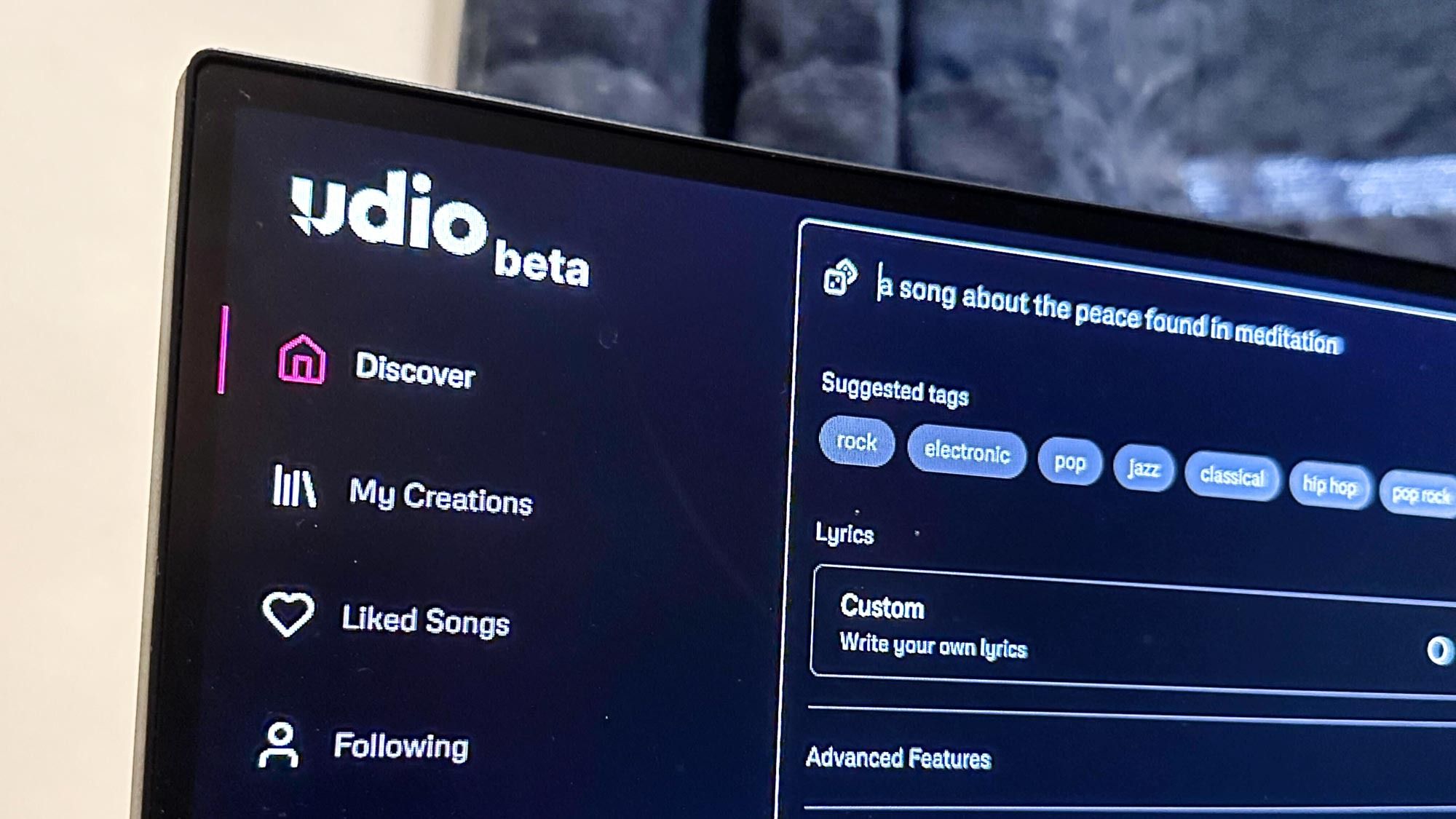
Udio’s workflow starts to make more sense once you accept that it is not really optimized for people who just want the fastest path from prompt to draft. The product has steadily added more structure around editing, styles, voices, and longer-form shaping, which gives creators more room to refine. Udio’s own help center documents paid editing, section replacement, lyrics editing, style references, and audio-guided generation as subscriber or trial features rather than purely free-tier behavior.
That is why Udio can feel stronger to quality-first users and slower to everyone else. If you enjoy comparing versions, refining regions, and nudging a song toward something more specific, the workflow can be rewarding. If you want a quicker text-to-song workflow with less setup friction, Udio is not the most obvious fit.

Need a Faster Path from Idea to Draft?
If Udio feels too quality-first and too slow for your workflow, compare MelodyCraft’s song-first workflow next.
Udio review: pricing, credits, and trials
Pricing is one of the biggest reasons a casual Udio trial turns into a real decision. Udio’s free tier is not fake, but it is tightly managed. According to Udio’s help center, free accounts get a daily allowance of 10 credits plus a 100-credit monthly limit, and they can create only three 130-second songs per day regardless of unused credits. That means the free tier is good enough to test the product, but not generous enough to support heavy experimentation without quickly pushing you toward payment.
Paid accounts currently use credit limits rather than true unlimited use. Udio’s help center says Standard subscribers can use up to 2400 credits per month and Pro subscribers up to 6000. Trials exist, but they are also limited: the Standard trial lasts up to seven days, does not increase your credit limits, and still caps the number of roughly two-minute songs you can create each day. This makes Udio’s pricing model feel more serious and more conditional than the casual "free AI song generator" positioning might suggest.
Udio review: downloads, WAV, stems, and the catch
Historically, one of Udio’s strongest practical arguments was that paid users could move beyond simple MP3 sharing. Udio’s help center still documents WAV export, stems, and post-production-oriented workflows like separating vocals, bass, drums, and other parts. On paper, that makes Udio look much more attractive to creators who actually want to finish songs in a DAW.
But this is also where the most important caveat appears. Udio’s official help center also states that, following changes tied to its Universal Music Group partnership, downloading of audio, video, and stems has been disabled. That means any review of Udio in 2026 has to separate what the tool is architecturally capable of from what creators can practically do right now. If your buying decision depends on easy export, high-quality WAV handoff, or stems for serious post-production, this limitation is not minor. It is central.
Udio review: commercial use, licensing, and practical risk
This is the part many superficial review pages do not treat seriously enough. Udio is no longer just a fun generation toy sitting outside industry scrutiny. Its licensing position, download limits, and partnership-driven transition now directly affect how creators should evaluate it. If you only want to experiment and listen inside the platform, the current restrictions may be tolerable. If you need predictable commercial handoff, export reliability, or confidence about what happens after creation, they matter much more.
That does not automatically make Udio unusable. It means creators should judge Udio not only by sound quality, but by whether it fits their publishing workflow. If your real goal is social posting, DAW finishing, client delivery, or dependable external editing, the practical side matters at least as much as the creative side.
Who should use Udio?
Udio makes the strongest case for creators who care about quality more than speed. That includes users who want better vocal realism, more satisfying instrumentation, and a workflow that can eventually lead to something closer to a polished track than a throwaway draft. It also suits users who like to compare versions, work iteratively, and spend time improving a result instead of accepting the first one that appears.
If you already think in terms of arrangement, vocal feel, or post-generation shaping, Udio is much easier to justify. This is also where it starts to overlap with the kind of creator who may eventually compare more structured tools too, such as this Mureka AI review.
Who should skip Udio?
You should probably skip Udio if your first priority is simply getting to a usable full-song draft fast. It is also a weaker fit if you dislike credit systems, want the most frictionless beginner experience, or care deeply about clean export reliability right now. In those cases, the quality ceiling matters less than the practical bottlenecks.
This is especially true if you are mainly trying to move fast for content, hooks, demos, or short-form song ideas. For that kind of workflow, a more direct song-first workflow is often the better answer than a quality-first environment with more trade-offs.
If you want speed instead of quality-first control
If you read this review and feel that Udio’s biggest advantages are real but still not worth the friction, that usually means your priority is not maximum quality. It is speed, clarity, and a cleaner path from idea to usable draft. In that case, MelodyCraft is the more natural third option because it focuses on a faster song-first workflow instead of asking you to choose between quality ceiling and workflow overhead.
If your next step is not Udio but a broader comparison path, you may also want to look at Suno AI alternatives or the direct Suno vs Udio comparison.
Want a Simpler Song-First Workflow?
If Udio feels too slow or too constrained for your use case, compare MelodyCraft next.
FAQ: quick answers
Is Udio any good?
Yes. Udio is still one of the stronger AI music tools if you care about sound quality, vocal realism, and a higher creative ceiling. The main question is not whether it is good, but whether its trade-offs fit your workflow.
Is Udio better than Suno?
Udio is often better if you care more about quality, vocals, and a deeper refinement path. Suno is often better if you care more about speed, ease of use, and getting to a usable full-song draft faster.
Does Udio let you download WAV or stems?
Historically, Udio documented WAV and stems for subscribers, but its official help center currently states that downloading of audio, video, and stems has been disabled as part of changes tied to the UMG partnership. That limitation should be treated as a major part of the current review.
Is Udio worth paying for?
Udio is worth paying for if you genuinely value its quality ceiling, editing features, and higher-end music feel. It is less attractive if your main goal is fast volume, frictionless drafting, or dependable export handoff right now.
Final verdict
Udio review in one sentence: it is still one of the best quality-first AI music tools, but it is no longer a simple recommendation for everyone. Choose Udio if you want stronger vocals, richer sound, and a workflow that rewards patience and refinement. Skip it if your real priority is speed, simplicity, and low-friction idea-to-draft execution.
If Udio’s quality-first trade-offs feel worth it, it remains a serious tool. If they feel like too much overhead, MelodyCraft is the smarter next comparison because it is built for a faster and more direct song-first workflow.