
Soundverse AI is best thought of as a multi-purpose music generator for creators who want beats, songs, AI vocals, and stems without living in a traditional DAW. This review focuses on what it can realistically do, where the workflow feels fast versus fiddly, what to verify before publishing, and when a simpler workflow-first alternative like MelodyCraft may be the better fit.
From here, we get into the practical part of the review: how Soundverse handles beats, vocals, and stems; where iteration matters more than the first draft; and how to think about licensing, pricing, and alternatives when you want a workflow that gets you to usable music faster.
If you’re a short-form creator, marketer, or a producer looking for quick demos, Soundverse AI can be worth it—especially when you treat it as an idea machine first, and a finishing tool second.
Is Soundverse AI worth it in 2026? Who it’s best for (and who should skip)
Soundverse AI is “worth it” in 2026 if your main goal is to go from prompt to usable audio quickly—then refine the best output. It’s less “worth it” if you need consistent, repeatable results on the first generation or if you expect detailed arrangement control like a full DAW session.
Here’s a practical way to decide:
What you’re really buying with Soundverse AI is time-to-first-draft. Many users report they need multiple tries to get a “keeper,” so the workflow works best when you plan for iteration, not one-shot perfection.

What can you actually make with Soundverse AI (beats, full songs, vocals, stems)?
Soundverse AI can generate more than just loops. In practice, you can use it as a soundverse ai beat maker, a soundverse ai song generator, a soundverse ai singing voice generator, and a soundverse splitter ai tool—each with different expectations around quality and control.
A realistic “input → output” map
What files do you actually end up with?
Outputs vary by plan and platform, but most AI music apps commonly offer:
Compressed exports (often MP3/M4A) for quick sharing
Higher-quality exports (often WAV) on paid tiers or specific modes
Separated stems as multiple files when using a splitter (or when a “stems” export is offered)
If you’re evaluating Soundverse AI on mobile, check the official listings for current capabilities and export details on the iOS App Store page and Google Play listing.
How does Soundverse AI work from prompt to track? (workflow explained simply)
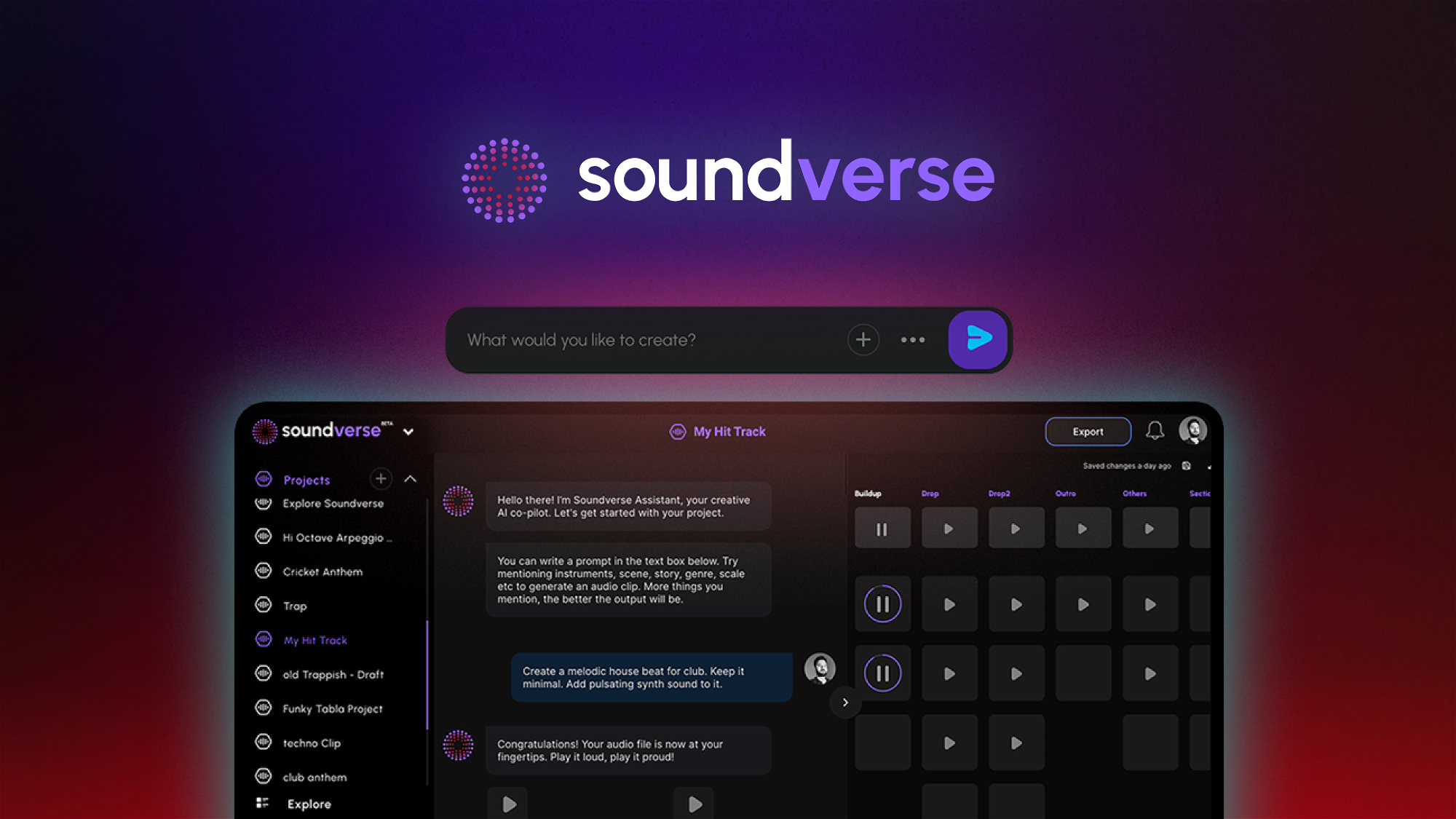
Soundverse AI generally follows a predictable prompt-to-audio loop: you describe what you want, generate, then keep refining until one version clicks. If you want a quick overview of the experience and interface, this Soundverse AI workflow guide illustrates the prompt-led approach well.
Simple workflow (what to expect)
Write a prompt
Include genre + tempo + mood + “what to avoid” (e.g., no vocals).
Pick style parameters (when available)
Common controls include BPM, energy level, instruments, and track length.
Generate
You’ll usually get one or more candidates.
Iterate (the secret step)
Regenerate with one change at a time (tempo, drum style, bass tone, arrangement density).
Export
Download audio for editing, uploading, or stem splitting.
What you can control vs what you can’t
Treat generation like casting: make 6–12 options fast, shortlist 2, then refine only the winners.

Soundverse AI beat maker: how to get a usable beat in 5 steps
If you’re using Soundverse as a soundverse ai beat maker, the goal isn’t “perfect on the first prompt”—it’s a beat that’s usable (good bounce, stable groove, no distracting artifacts) and easy to edit into content or a demo.
5-step method (repeatable)
Choose your target use-case first
A 20-second loop for Shorts needs less arrangement than a 2-minute demo beat. Decide: loop, verse/chorus, or bed music.
Lock BPM and groove
Pick a tempo range and rhythm feel (straight/swing/shuffle). This avoids “cool sound, wrong pocket.”
Specify drums + bass clearly
Example: “tight kick, punchy snare, rolling hats, sub bass that follows root notes.”
Add negative constraints
Tell it what not to do: “no vocals, no long intro, no dramatic key changes.”
Generate 4–8 variations, then pick one to refine
Don’t refine the first result. Pick the best groove first, then adjust instruments/texture.
Prompt template (copy/paste): “Create a [GENRE] beat at [BPM] with a [GROOVE] feel. Instruments: [DRUMS], [BASS], [MAIN INSTRUMENT], [TEXTURE]. Length: [SECONDS]. Avoid: [NO VOCALS], [NO COMPLEX MELODY], [NO LONG INTRO]. Mood: [3 ADJECTIVES].”
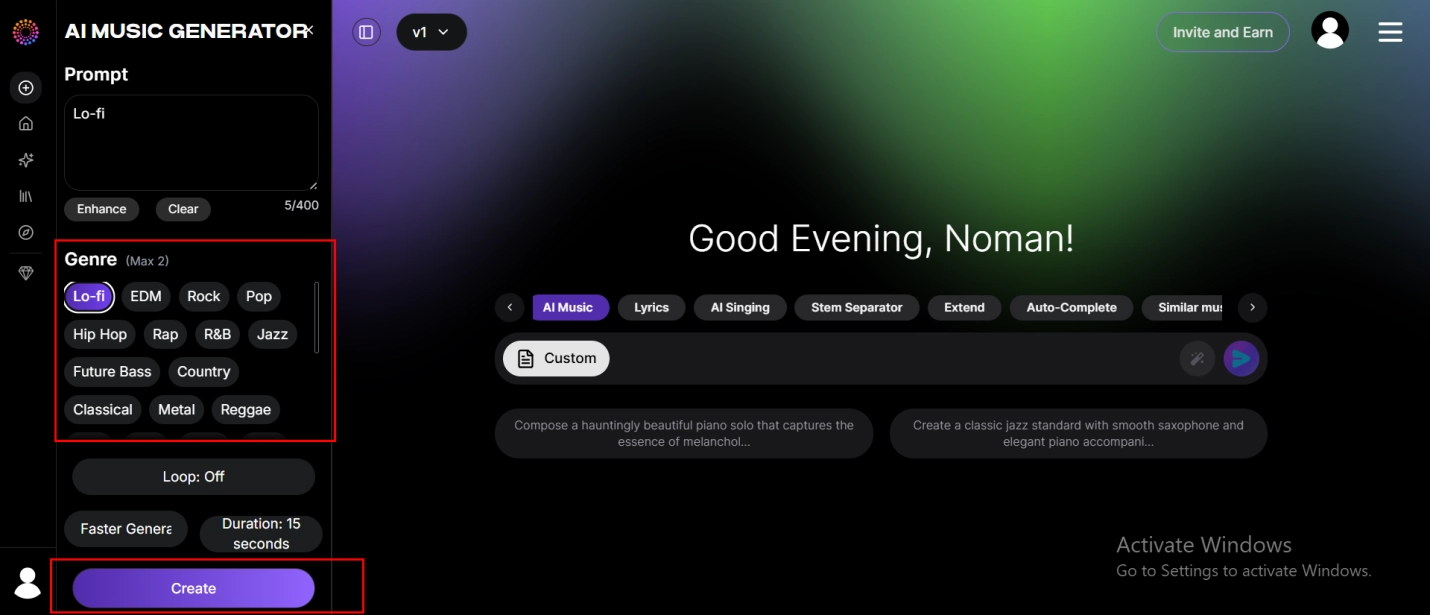
Screenshot placeholder for content team: add a labeled capture showing (1) prompt box, (2) style/BPM controls, (3) variations/regenerate button, (4) export/download location.
Prompt formula for beats (genre + BPM + groove + instruments + length)
Below are ready-to-use prompts focused on getting cleaner, less “samey” results. Each includes a small negative constraint to reduce unwanted vocals or overly busy melodies.
Trap (140 BPM, dark, minimal lead)
“Trap beat, 140 BPM, half-time bounce, heavy 808 slides, crisp snare, sparse bell motif, 30 seconds. Avoid: vocals, long intro, complex chords.”
Drill (142 BPM, aggressive hats)
“UK drill beat, 142 BPM, sliding 808, syncopated hats, cold dark mood, 45 seconds. Avoid: singing, bright pop chords, cinematic strings.”
Lo-fi (78 BPM, warm + dusty)
“Lo-fi hip hop beat, 78 BPM, swung drums, warm Rhodes, vinyl noise texture, simple bass, 60 seconds. Avoid: vocals, sharp synth leads, big drops.”
House (124 BPM, club-ready groove)
“House beat, 124 BPM, four-on-the-floor kick, offbeat bass, bright plucks, 45 seconds. Avoid: vocals, breakdown longer than 4 bars, key changes.”
DnB (174 BPM, rolling drums)
“Drum and bass, 174 BPM, rolling breakbeat, sub bass, dark pads, 45 seconds. Avoid: vocals, overly melodic lead, ambient intro.”
Cinematic (90 BPM, trailer tension)
“Cinematic tension beat, 90 BPM, hybrid percussion, low drones, pulsing synth, 60 seconds. Avoid: vocals, cheerful melodies, comedic instruments.”
Afrobeat (105 BPM, percussive bounce)
“Afrobeat groove, 105 BPM, syncopated percussion, clean kick, melodic marimba, 45 seconds. Avoid: vocals, EDM risers, heavy distortion.”
Pop/R&B bed (100 BPM, clean + modern)
“Modern R&B pop instrumental, 100 BPM, tight drums, smooth bass, airy chords, 60 seconds. Avoid: vocals, guitar solos, overly busy fills.”
If you keep getting repetitive loops, reduce the instruction count and focus on one distinctive element (e.g., “rhythmic bass ostinato” or “staccato pluck hook”) instead of five.
How to iterate faster: variations, regeneration, and avoiding “samey” loops
Most people who enjoy Soundverse still mention a common theme in reviews: quality can fluctuate, and you may need multiple generations to land on the sound you want. That pattern shows up frequently in user feedback on platforms like AppSumo reviews for Soundverse.
Use this iteration strategy to waste fewer credits and keep the best ideas:
Change one variable at a time
Keep everything the same and only change BPM or instruments or groove. This makes cause-and-effect obvious.
Name versions like a producer
Example: trap140_dark_v1, trap140_dark_lessmelody_v2, trap140_dark_thicker808_v3.
Find the best 8 bars, then expand
If a generation has one great section, regenerate from that direction instead of forcing a full 60–120 seconds to be perfect.
De-same the loop with “arrangement prompts”
Ask for “a 4-bar intro, 8-bar main groove, 4-bar variation with drums muted.”
A simple version log helps:
Soundverse AI song generator: lyrics-to-song workflow + prompt templates
As a soundverse ai song generator, Soundverse is most useful when you feed it structured lyrics and clear musical constraints. Unstructured paragraphs often produce meandering sections or awkward pacing.
Lyrics-to-song workflow (practical)
Write lyrics with labels
Use clear tags like [Verse 1], [Chorus], [Bridge]. Keep each section to a sensible length.
Decide the emotional arc
Example: verse = intimate, chorus = bigger and brighter, bridge = breakdown.
Define arrangement and tempo
Specify BPM, drum style, bass style, and one “signature” instrument.
Generate 3–5 options
Pick the one with the strongest hook and most stable structure, then refine.
Export and polish in a DAW
Even a great AI draft often needs level balancing, EQ, and small edits.
Avoid prompts like “make it exactly like [famous artist/song].” Instead, describe audible traits (tempo, drum swing, instrumentation, vocal tone) to stay on safer ground.
8 lyric prompts that produce clearer structure (pop/hip-hop/EDM/ballad)
Use these as copy/paste starters. Replace the bracketed parts, but keep the structure instructions intact.
Pop (clear hook, concise)
“Create a pop song at 110 BPM. Use these lyrics with labels. Make the chorus hook 2 lines, repeat it twice. Keep verses 8 lines max. Leave 1 bar of space before each chorus.”
Hip-hop (tight phrasing, minimal singing)
“Make a hip-hop track at 92 BPM. Deliver lyrics rhythmically (spoken/rap-like), minimal singing. Keep the chorus 4 lines. Avoid long ad-libs.”
EDM (build + drop cues)
“Create an EDM vocal track at 128 BPM. Verse 1 small, pre-chorus builds, chorus is bigger. Add a 4-bar instrumental break after chorus. Keep lyrics syllables short and punchy.”
Ballad (slow, spacious)
“Create a ballad at 72 BPM. Keep melody simple and singable. Add longer note holds at the end of each chorus line. Avoid dense percussion.”
Indie (dry, intimate)
“Indie pop at 98 BPM, intimate verse, wider chorus. Keep production minimal: drums, bass, one guitar/synth. No big cinematic drums.”
R&B (syncopation, smooth)
“Modern R&B at 88 BPM with gentle swing. Smooth vocal delivery, warm chords, minimal melodic jumps. Keep chorus hook short and repeatable.”
Jingle (brand-friendly, 10–15 seconds)
“Create a 12-second catchy jingle at 120 BPM using these 2 lines as the hook. Keep words clear, avoid complex runs, end with a clean final note.”
Podcast intro (voice-forward, short)
“Create a 15-second intro at 100 BPM. Keep melody simple, leave space for speaking after 8 seconds. Avoid busy drums.”
Common failure reasons (and fixes):
Lyrics too long → shorten each section; aim for fewer syllables per line.
Conflicting instructions (“minimal drums” + “big drop”) → pick one priority.
Vague mood words (“epic,” “sad”) → translate into music traits (tempo, minor key feel, sparse vs dense arrangement).
How to judge output quality quickly (melody, arrangement, mix, coherence)
Soundverse AI outputs can sometimes feel slightly off from the prompt—several reviews note occasional mismatch between request and result, which is why a fast evaluation habit matters. Use this 30-second checklist before you invest time polishing (and if you want another perspective, see how other reviewers frame consistency in a Soundverse AI review roundup).
30-second quality checklist (play once, decide fast):
Melody: Can you hum the main motif after one listen?
Structure: Do verse/chorus feel different (energy, drums, harmony)?
Drums vs bass: Are kick and bass fighting or masking each other?
Vocal timing: Are syllables landing on the beat naturally?
Coherence: Does anything feel random (odd chord, sudden instrument)?
Mix: Any harsh highs, distorted low end, or pumping artifacts?
If the melody is weak but the groove is good, keep it as a beat. If the hook is strong but the verses are messy, regenerate only the verses with tighter constraints.
Soundverse AI singing voice generator: how realistic is it and how to improve it
The soundverse ai singing voice generator can be convincing in short bursts—especially hooks and simple lines—but it often struggles with detailed articulation and expressive nuance. The fastest way to get better results is to write lyrics and melodies that are “AI-friendly”: clear syllables, predictable phrasing, and moderate pitch movement.
Common issues → practical fixes
Weird pronunciation / unclear consonants → simplify word choices; avoid tongue-twisters; shorten lines
Unstable breath / wavering holds → reduce long sustained notes; add pauses between phrases
Shaky endings / unnatural vibrato → request “minimal vibrato” and keep notes shorter
Pitch drift on big jumps → reduce interval leaps; write stepwise melodies
A good expectation: AI vocals are often best when they function like a demo singer—helping you hear the topline before you record a real take or polish in a DAW.
Tips to reduce robotic vocals (phonetics, syllable pacing, simple melodies)
If your vocal output sounds robotic, fix the writing before you blame the model:
Lower syllable density
Crowded lines force rushed timing. Shorten words and remove filler syllables.
Use shorter phrases
Two clean phrases beat one long sentence—especially for clarity.
Avoid complex melisma (one syllable across many notes)
Ask for straightforward, singable melodies.
Keep range moderate
Big octave jumps often reveal synthetic artifacts.
A helpful approach is “demo first, polish later”: generate a rough topline, then export and tighten timing/pitch in your DAW, or re-sing it yourself.
Best use cases: hooks, ad jingles, placeholders, karaoke-style demos
Set expectations upfront and Soundverse vocals become much more useful.
Best fits
Catchy hooks (8–16 seconds)
Ad jingles where clarity matters more than virtuoso singing
Placeholders for toplines before a session singer records
Karaoke-style demos for songwriting approval
Not ideal
Long emotional lead performances exposed in the mix
Complex runs, ultra-breathy realism, or highly characterful voices (without additional production)
Three quick scripts you can adapt:
Brand tagline (jingle)
“Sing clearly: ‘[Brand] makes it easy—start today.’ 120 BPM, bright major feel, minimal vibrato.”
Short hook (pop)
“Hook only, 2 lines, repeat once. Keep melody stepwise, easy to sing, no vocal runs.”
Podcast intro vocal tag
“Spoken-sung line: ‘You’re listening to [Show Name].’ Leave room after the line for music only.”
Soundverse Splitter AI: can it separate stems cleanly enough for remixes?
Soundverse Splitter AI is judged by one thing: how clean the separated stems sound when you actually try to use them. Most splitters (in general) do well on midrange elements but struggle with cymbals, reverb tails, and dense mixes—topics often discussed in stem-splitting explainers like Jumping Rivers’ overview of stem splitting concepts and tools such as Audimee’s stem splitter.
A simple test method (you can repeat)
Pick one full mix (ideally WAV, or highest-quality you have).
Split into vocals / drums / bass / other (or whatever grouping Soundverse offers).
Listen for:
Reverb “ghosts” of vocals left in the instrumental
Phasey cymbals or swirly hi-hats
Low-end smearing where bass bleeds into “other”
Swishy artifacts in sustained pads/strings
If your goal is remixing, stem separation is often “good enough” for bootleg ideas and content edits—but may need cleanup before a serious release.
What stems you can expect (and where artifacts usually appear)
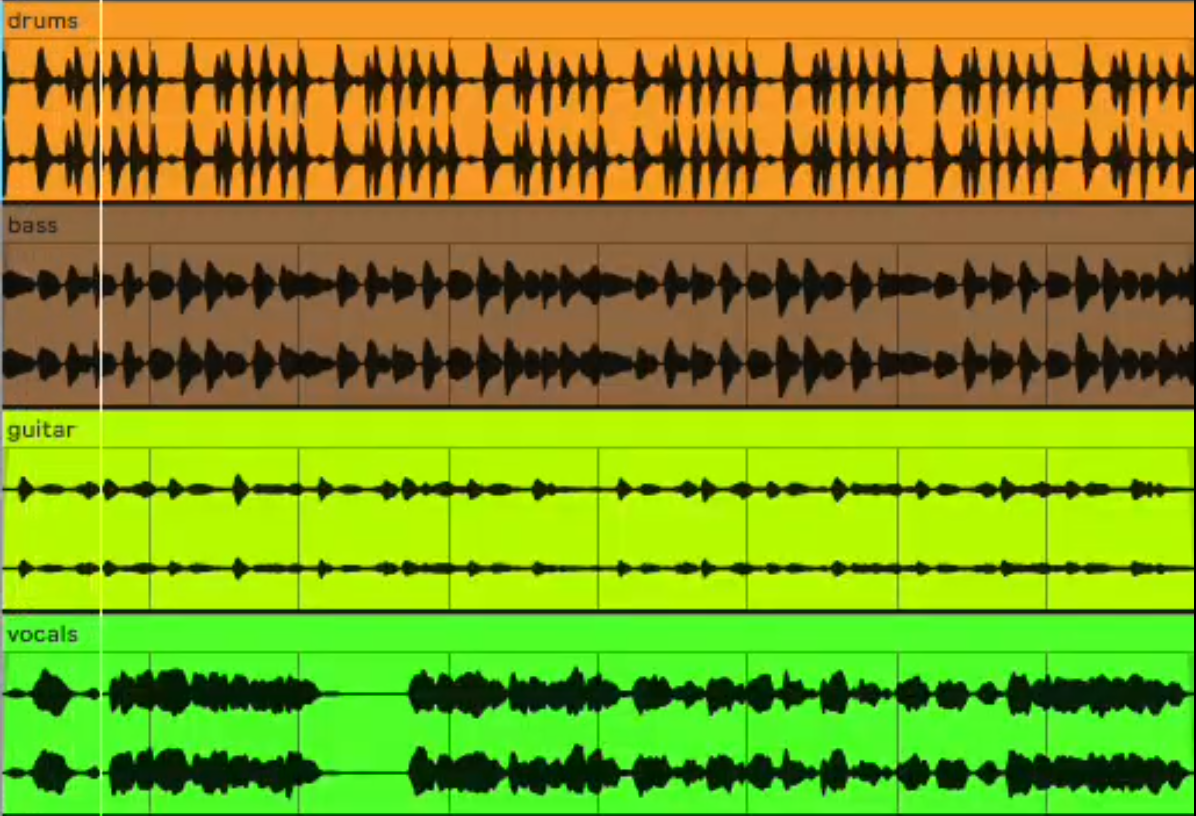
Most AI stem tools commonly output some variation of:
Vocals
Drums
Bass
Other (everything else grouped)
Typical artifact hotspots (and why they happen):
Cymbal leakage into other stems (wideband noise-like content is hard to isolate)
Vocal remnants in reverbs/delays (effects are spread across the spectrum)
Muddy low end (bass overlaps with kick and lower instruments)
Quick mixing tricks to hide artifacts:
Use EQ to roll off harsh highs on the “other” stem (often where swish lives)
Add a gentle noise reduction pass on exposed vocal stems
Use gating/expansion to reduce bleed between phrases
Layer a subtle room reverb to “glue” stems back together so artifacts feel less obvious
Practical workflows: karaoke tracks, sampling, content editing, mashups
Here are three real workflows where Soundverse Splitter AI can be useful—even if stems aren’t perfectly clean:
Karaoke / backing track
Split stems
Lower or mute vocals
Rebalance drums/bass to keep energy
Sampling a vocal phrase
Extract vocals
Chop the cleanest words
Mask artifacts with delay/reverb or layer under a new beat
Content editing (dialogue-friendly music)
Split and reduce busy midrange elements
Keep rhythm + bass, lower “other” to leave room for voiceover
Stems don’t automatically grant rights. Before publishing remixes or mashups, check platform rules and the track’s licensing/permissions for your use case.
Pricing, credits, and commercial use: what to check before you publish
Soundverse AI pricing and export limits can change by region, platform, and subscription updates—so the safest approach is a pre-publish checklist rather than quoting a fixed number. Start with the official app pages for current plan details: iOS listing and Google Play listing.
Pre-publish checklist (don’t skip)
Which tier are you on? (trial vs paid)
Credits per month and what actions spend credits (generation vs export vs stems)
Export quality (MP3 vs WAV) and whether it’s paywalled
Watermarks (audio or metadata) and when they appear
Commercial use terms: locate the license/terms section inside the app or website
Attribution requirements (if any)
Content restrictions (e.g., “no impersonation,” “no prohibited content”)
If you’re budgeting across multiple tools (music generation + stems + exporting), it helps to compare with a single, simpler plan structure. You can also review MelodyCraft pricing to see an alternative creator budget path before committing.
Real user feedback: the good, the bad, and what it means for your workflow
Across reviews and roundups, Soundverse AI feedback tends to cluster into a few consistent themes: speed and convenience on the positive side, and variability/consistency on the negative side. You’ll see those patterns in aggregated commentary like AppSumo user reviews and broader summaries such as this Soundverse AI review page.
Here’s what that means for your workflow:
Practical ways to avoid common pain points:
Generate sections separately (chorus first, then verses)
Lower prompt complexity (fewer adjectives, more musical constraints)
Save everything you might want later (version naming + export)
Soundverse AI vs alternatives: which one is better for beats, vocals, and stems?
Soundverse AI is strongest when you want one app to cover multiple tasks quickly. But depending on your priority—beat control, vocal realism, or stem cleanliness—an alternative (or a two-tool stack) can be a better fit.
Below is a decision-oriented comparison. “Alternatives” here refer to common categories rather than a single brand, because your best option often depends on whether you want control, quality, or speed.
A simple selection rule:
Choose Soundverse AI if you want one app that does “good enough” beats + songs + vocals + stems.
Choose a dedicated splitter if stems are your main priority (cleaner separation usually wins).
Consider MelodyCraft if your priority is faster prompt-to-download creation with less friction in the workflow.
FAQs people ask about Soundverse AI (quick answers)
Q: What export formats can I get?
A: It depends on your plan and platform, but most apps offer a compressed format (like MP3/M4A) and sometimes WAV on paid tiers. Check the export screen and plan details in-app before you commit to a workflow.
Q: Can Soundverse AI generate both instrumentals and full songs?
A: Yes—Soundverse AI can be used as a beat maker and a song generator, but full song results are more sensitive to lyric structure and prompt clarity. For reliable outcomes, generate multiple options and pick the strongest hook first.
Q: Is stem splitting “clean enough” for professional remixes?
A: It can be usable for drafts, content edits, and bootleg experiments, but artifacts are common (especially cymbals and reverb tails). For release-grade remixes, expect cleanup and additional mixing.
“Why doesn’t the output match my prompt?”
Q: Why doesn’t Soundverse AI match my prompt?
A: Usually because the prompt contains too many competing requirements or too many subjective mood words. Reduce the prompt to one priority at a time: first lock genre + BPM, then add instruments, then add arrangement details.
Q: What’s a better way to rewrite prompts?
A: Swap vague emotion terms for audible traits. For example, replace “sad and epic” with “72 BPM, minor-key feel, sparse piano, wide pads, minimal drums,” and add one negative constraint like “no vocals.”
“Is Soundverse AI free, and what do I get without paying?”
Q: Is Soundverse AI free?
A: Free access and trials vary by region and current in-app offers. The most reliable source is what you see on the official iOS page, the Google Play listing, and the subscription screen inside the app.
Q: What should I check on the free tier?
A: Look for limits on generation credits, export quality, watermarks, and whether commercial use is included or restricted.
“Can I use Soundverse AI music on YouTube/TikTok without copyright issues?”
Q: Can I use Soundverse AI music on YouTube/TikTok safely?
A: There’s no universal guarantee—your safest move is to read the app’s license terms for your plan and keep records (subscription receipts, project files, export timestamps). Also avoid prompts that intentionally imitate specific existing songs or recognizable artist identities.
Q: What’s a practical best practice?
A: Generate truly original melodies (not “sound like X”), keep your prompt generic and trait-based, and retain your creation logs in case a platform dispute happens.
“Why does Soundverse AI freeze or take forever to generate?”
Q: Why is Soundverse AI slow or freezing?
A: Users sometimes report lag or stalled generation, and it can be caused by network conditions, device limits, or background tasks. If you’ve seen this behavior, treat generation as “batch work,” not something you do seconds before a deadline.
A: Quick fixes to try:
Update the app and restart your device
Check storage space (low storage can cause crashes)
Switch networks (Wi-Fi ↔ mobile)
Reduce request complexity and generate shorter segments
Avoid running multiple heavy apps in the background
If you want a faster workflow today: a simple alternative path with MelodyCraft
If your core need is “prompt → usable music → download,” you may want a simpler path that prioritizes speed and repeatability over experimenting with lots of separate modules. That’s where MelodyCraft can be a practical alternative for the same intent behind using a soundverse ai beat maker or soundverse ai song generator.

A straightforward workflow looks like this:
Start with a clear beat or song direction (genre + BPM + mood)
Generate several drafts quickly
Pick the best one, make minimal edits, then download for your project
If you need to scale output, compare plans on the pricing page

Need a simpler way to get usable music faster?
If Soundverse feels like too many modules to manage, MelodyCraft gives you a cleaner workflow from prompt to download.