

AIVA is best understood as an AI music tool for instrumental composition, especially cinematic cues, background scores, and MIDI-friendly workflows. It can be useful for composers and creators who want editable output, but it is not the strongest choice if you need vocals, lyrics, or a radio-style full song. This review walks through pricing, exports, licensing basics, and the use cases where AIVA actually fits.
To make sense of that fit, the sections below look at AIVA from the angles that matter most in real use: what it generates, how the exports work, what pricing changes between plans, and where it sits compared with other AI music tools.
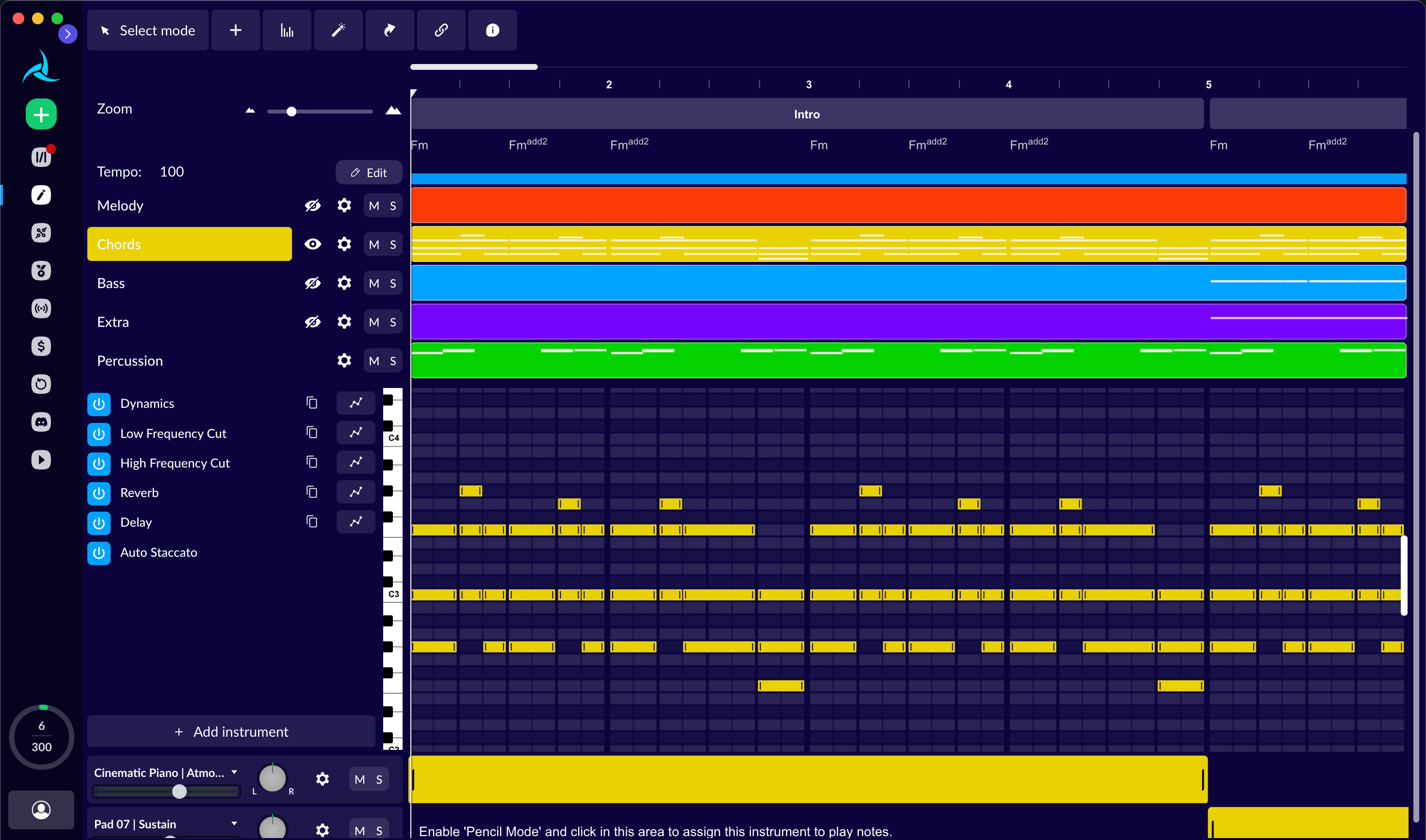
What is AIVA (and what kind of music can it generate)?
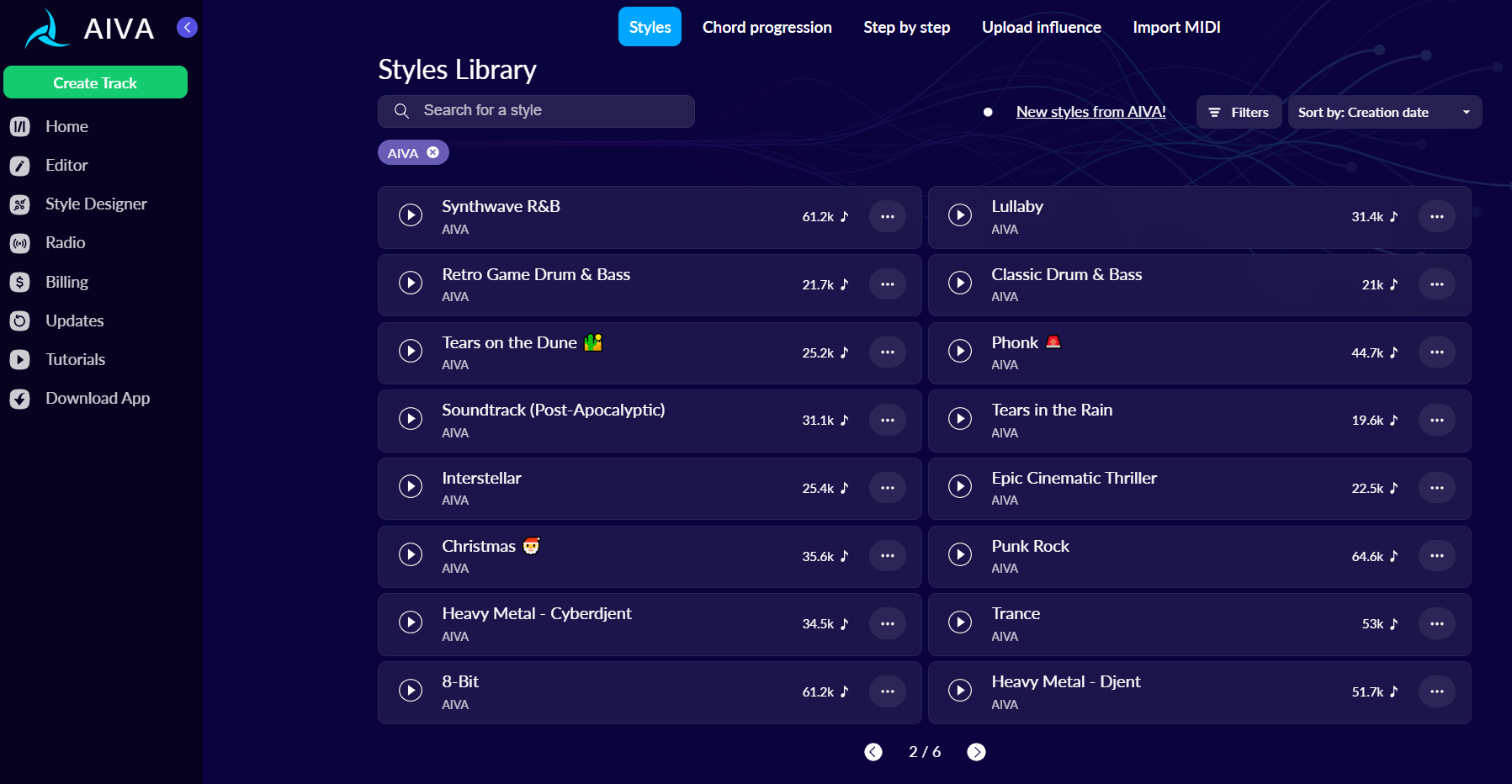
AIVA AI is best understood as an AI-assisted composer for instrumental music, leaning toward soundtrack, classical, ambient, and “underscore” styles rather than vocal-forward pop production. In practice, AIVA music is most useful when you need something that supports visuals or gameplay (not something that competes with them).
Here’s what you can typically control or define when generating with AIVA (exact options vary by workflow and plan):
Mood / emotion: uplifting, tense, melancholic, heroic, calm
Style / genre presets: classical, cinematic, electronic ambient, piano solo, orchestral hybrids
Duration & structure hints: short stingers, 30–60s cues, longer loops (you may need to edit to loop cleanly)
Arrangement complexity: sparse vs layered (e.g., solo piano vs full orchestral palette)
Iterations/variations: generate multiple candidates and refine the one with the best “core idea” (a strong motif or chord movement)
A helpful way to think about it: AIVA is often strongest when you treat it like a sketchpad for composers—generate, pick, edit, export, then finish in your DAW.
AIVA output formats: MP3, MIDI, and sheet music (why it matters)
AIVA stands out from many “one-click” generators because export isn’t just about getting an audio file—you can also get edit-friendly assets. That matters if you’re doing real scoring workflows: hitting picture, changing voicings, re-orchestrating, or adapting a cue into multiple cuts.
If you plan to monetize or sync the track to video, generate with “listenability” in mind—but export MIDI when you want the track to feel truly custom after editing.
Quick verdict: Is AIVA worth it in 2026?
For most people reading aiva reviews in 2026, the “worth it” question comes down to your output needs (instrumental vs vocal), your editing comfort (DAW vs no DAW), and licensing clarity for monetization.
Three one-line conclusions:
Worth it if you need cinematic/instrumental cues and want MIDI or notation for deeper control.
Maybe if you only need quick background music and won’t edit much—other tools can be faster.
Not worth it if your main goal is vocals + lyrics + full songs with modern pop structure.
Good fit (you’ll likely be happy):
YouTube creators who want instrumental background that doesn’t distract from voiceover
Indie game teams prototyping biome loops, battle tension beds, or menu themes
Filmmakers needing non-lyrical underscore for short scenes
Musicians who want MIDI ideas to transform into a signature piece
Not a great fit (you’ll fight the tool):
You want a complete vocal track with lyrics, hooks, and singer timbre control
You need extremely specific genre micro-accuracy (e.g., niche club subgenres) with minimal editing
You want “publish-ready” mixes without any production work
Alternatives (when AIVA isn’t the right shape):
For fast, creator-friendly background catalog workflows: Soundraw or Soundful
For ultra-simple “make and publish” loops: Boomy
For vocals/lyrics-first song generation: consider a lyrics-to-song tool (more on this below)
AIVA pricing: Free vs Standard vs Pro (what you actually get)
AIVA pricing usually makes sense only after you decide how you’ll use the music: personal practice vs content monetization vs client work. The most important differences across tiers tend to be download limits, export options, and commercial usage rights (details can change—verify against the current in-app plan terms).
For a quick overview of AIVA’s position among AI music apps, see this roundup on AI music apps including AIVA.
Practical comparison (what to expect)
Don’t assume “paid = fully risk-free.” Always read the current license text inside your account for attribution rules, resale limits, and platform-specific requirements.
What you should optimize for (instead of just cost):
If you edit music: prioritize MIDI availability and stems/track control if offered.
If you publish content: prioritize commercial rights clarity and enough downloads for your schedule.
If you work with clients: prioritize the tier whose terms explicitly cover commercial/client deliverables.

Which plan is best for YouTube creators vs game/film composers?
The best AIVA plan depends on your output volume and how often you must revise cues.
YouTube background music (BGM)
Lowest-cost path: start Free to validate style fit, then upgrade when you need more exports or monetization permissions.
Upgrade trigger conditions:
You post multiple times a week and run out of exports
You start monetizing consistently and want clearer commercial coverage
You need more control to avoid “template-sounding” repetition
Short films and documentaries
Lowest-cost path: a paid tier for the month(s) you’re delivering the project, then downgrade.
Upgrade triggers:
You need to iterate many versions to hit picture
You want MIDI/notation for surgical edits
You have multiple scenes requiring a consistent motif
Indie games (prototype → vertical slice → release)
Lowest-cost path: use AIVA for early prototyping (quick loops), then lock musical identity via MIDI edits and custom instrumentation.
Upgrade triggers:
You need a library of variants (combat/exploration/low-health)
You require consistent themes across many tracks
You move from prototype to commercial release and need stronger licensing confidence
Ads / client work
Lowest-cost path: avoid “one-off free exports.” Use the tier that clearly allows client deliverables.
Upgrade triggers: client asks for exclusivity, revisions, or multi-format deliverables (MIDI + audio cuts).
How to use AIVA AI music generator (beginner workflow)
AIVA AI music generator workflows vary, but the beginner-friendly approach is consistent: pick a style → generate options → refine → export. Here’s a practical path that avoids the most common time-wasters.
Choose a style preset (start broad).
Pitfall to avoid: picking an ultra-specific preset too early can trap you in “samey” outputs. Start cinematic/classical/ambient, then narrow after you find a usable direction.
Set length and purpose (cue vs loop).
Pitfall to avoid: if you need a loop, generate slightly longer than needed so you can cut a cleaner loop point later.
Generate 3–8 variations first.
Pitfall to avoid: iterating one idea endlessly. It’s often faster to “audition” several candidates and choose the one with the strongest motif.
Refine arrangement (instrumentation and dynamics).
Pitfall to avoid: over-layering. Background scores work better when they leave space for dialogue/voiceover.
Edit timing and structure (especially for video).
Pitfall to avoid: ignoring hit points. For video, you’ll usually want intentional transitions every 4/8/16 bars.
Export in the format that matches your next step.
Pitfall to avoid: exporting only MP3 when you’ll later need to change harmony. If you plan to edit, export MIDI too.
Prompting AIVA: how to get less generic results (examples)
If your AIVA results feel generic, it’s usually because your input is too vague (“sad cinematic music”). You want to specify emotion + tempo feel + instrumentation + scene + structure.
Below are copyable templates you can adapt:
Cinematic tension bed (no melody focus)
“Tense, minimal cinematic underscore, ~90 BPM pulse, low strings + subtle synth drones, no lead melody, build intensity every 8 bars, 60 seconds.”
Hopeful documentary cue (clear arc)
“Warm, uplifting orchestral cue, moderate tempo, piano + strings + soft brass, start intimate then expand at 0:20, 75 seconds, inspiring but not epic.”
Game exploration loop (clean loop point)
“Ambient fantasy exploration loop, gentle motion, harp + pads + light percussion, avoid big cadences, make ending compatible with seamless looping, 45 seconds.”
Neo-classical piano sketch (performance-like)
“Neo-classical solo piano, rubato feel, bittersweet mood, simple left-hand ostinato, add subtle harmonic shift in the middle, 1:30.”
Hybrid trailer rise (controlled ‘epic’)
“Cinematic hybrid, rhythmic ostinato strings + taikos, rising tension, 2-part structure: tension (0:00–0:30) then impact (0:30–0:50), avoid choir.”
What not to write (common failure prompts):
“Make it like [famous composer/track]” (can increase similarity risk and still won’t guarantee the result)
“Epic and sad and happy and intense” (too many conflicting targets)
“Best music ever, viral” (not actionable musically)
Ask for one strong constraint (e.g., “no lead melody” or “no big cadences”) to force more usable background cues.
Can you monetize AIVA music? Licensing, copyright, and attribution
People searching “aiva music” monetization usually want one thing: Can I safely use this in content that earns money? The honest answer is: often yes, but it depends on your plan and how you distribute.
Here’s the practical framework to follow:
Commercial use: Paid tiers commonly offer broader commercial permissions than Free tiers. However, the scope can vary (e.g., YouTube monetization vs client advertising vs resale libraries).
Attribution: Some plans/tools require credit (or require it only under certain conditions). If attribution is required, put it in the video description, credits, or project metadata.
Copyright/ownership: AI music can create gray areas depending on jurisdiction and platform policy. Even if you have a license to use the output, platforms may still flag audio via automated systems.
Platform risk: Content ID-style systems can misidentify music—even properly licensed tracks. Your best defense is documentation and distinctiveness (editing helps).
This section is not legal advice. If you’re producing client work, ads, or a commercial game release, review the current license terms for your specific AIVA plan and consider professional legal guidance.
AIVA for YouTube: what to do to reduce copyright claims (checklist)
If you’re using AIVA music on YouTube, you’re mainly managing false claims and similarity flags, not just permissions. Use this pre-publish checklist:
Save proof of generation: keep project names, timestamps, export receipts/screens, and plan level used.
Export high quality: use the highest quality export you’re allowed; avoid unnecessary re-encodes that can create artifacts.
Add attribution if required: include a short credit line in the description (and keep it consistent).
Make it more unique: edit the arrangement or mix (even subtle MIDI changes help) to reduce “template similarity.”
Avoid overly recognizable motifs: if a short melodic hook feels like a “stock tune,” regenerate or revise it.
Keep alternate exports: store a second version with slight edits in case you need to swap audio quickly.
AIVA reviews: what users like (and what they complain about)
Across aiva reviews, AIVA tends to get praise for its composer-friendly outputs and export flexibility—and criticism for creative sameness and learning curve compared to ultra-simple generators. (For another perspective, you can compare review summaries such as this AIVA review and see what themes repeat.)
What users often like
Instrumental/cinematic bias: it “sounds like score” faster than many general tools
Export options: MIDI/notation is a big deal for musicians and editors
Usable drafts: strong for ideation when you don’t want to start from silence
What users often complain about (and how to work around it)
“It sounds generic.”
Fix: generate more variations up front, then customize via MIDI (change chord voicings, re-orchestrate, rewrite the melody).
“Hard to get the exact emotion.”
Fix: specify emotional arc and instrumentation; request fewer conflicting adjectives; aim for a single emotional lane.
“Structure feels random.”
Fix: ask for clear two-part or three-part structure (A/B or A/B/A), then do a final edit in your DAW for transitions.
“Pricing feels confusing.”
Fix: decide based on your deliverable (monetized content vs client work) and required exports, not on feature marketing.

Need vocals and full songs instead of instrumental drafts?
Try MelodyCraft when you want to turn an idea, prompt, or text into a complete vocal track in minutes.
AIVA vs other AI music generators (alternatives you should consider)
If you’re comparing an aiva ai music generator to other tools, focus on two questions: Do you need editability (MIDI/structure control)? and Do you need vocals/complete songs? AIVA leans heavily toward the former.
For a broader list of options, this roundup of AI music generators is a useful starting point.
Practical takeaway: if your workflow includes DAW editing, AIVA’s export options can be the deciding factor. If you want fast content music with minimal tweaking, creator-first alternatives may feel smoother.

If you need vocals and full songs, AIVA may not be the best fit
If your real requirement is vocals, lyrics, and a complete song structure (verse/chorus/bridge) with modern production polish, AIVA can feel like the wrong category. In that case, you’ll likely be happier with a lyrics-to-song tool designed around “songness,” not just instrumental composition.
One neutral option to explore is MelodyCraft, which is geared toward generating full tracks (especially when you want vocals/lyrics-oriented workflows).
When AIVA is the best choice (use cases)
AIVA shines when the deliverable is instrumental, mood-driven, and benefits from post-editing.
1) Cinematic scoring for short scenes
Goal: underscore dialogue and pacing without stealing attention
How to approach: pick a cinematic preset, request low melodic density, build intensity in stages
Export recommendation: MP3 for quick temp, MIDI for final timing edits
2) Game environment loops (exploration, menu, suspense)
Goal: a loopable bed that stays interesting but non-fatiguing
How to approach: avoid strong cadences, keep percussion subtle, generate longer than needed
Export recommendation: audio + DAW edits for seamless looping; MIDI if you’ll adjust harmony
3) Classical/orchestral drafts (composer sketching)
Goal: harmonic/melodic starting points you can develop
How to approach: generate multiple motifs, choose one with a memorable contour, then rewrite orchestration
Export recommendation: MIDI + sheet music for fastest compositional iteration
4) Ambient and focus music for creators
Goal: consistent background tone across episodes or a channel series
How to approach: lock a limited palette (pads + piano), keep dynamics controlled, avoid “big moments”
Export recommendation: MP3/WAV (if available) plus a “safety alternate” version
Common problems with AIVA (and fixes)
Problem: The track sounds repetitive. Fix: generate more variations, then combine the best 20–30 seconds from two versions; add a simple B-section by changing instrumentation or chord inversion via MIDI.
Problem: The emotion is off (too happy/too dark). Fix: remove conflicting adjectives, specify instrumentation (minor chords on piano + warm strings reads very differently from bright synth plucks), and define an emotional arc (start calm → end hopeful).
Problem: Sections don’t connect smoothly. Fix: in your DAW, add transitional elements (riser, cymbal swell, bass drop-out) and re-voice the last chord of section A to lead into section B.
Problem: It’s hard to edit after export. Fix: export MIDI whenever possible, then swap to quality instruments; if you only have audio, use micro-editing (cut on bar lines, crossfades, reverb tails).
Problem: It doesn’t fit my video timing. Fix: aim for “edit-friendly” structure: 4/8/16-bar phrases, clear downbeats, and a controlled ending. Generate 10–20 seconds longer than your target and cut down.
FAQ about AIVA AI
Q: Is AIVA free?
A: AIVA typically offers a Free tier with limitations. Expect caps on exports and/or restrictions that may affect monetization (plan terms can change, so verify in your account).
Q: Can I use AIVA music commercially?
A: Often yes on paid plans, but commercial usage rights and any attribution requirements can vary by tier and use case. Check your current plan’s license before publishing or delivering client work.
Q: Can AIVA export MIDI or sheet music?
A: Yes—this is one of AIVA’s most practical advantages for musicians. MIDI helps you fully re-orchestrate and humanize; sheet music helps with notation-based workflows.
Q: What styles is AIVA best for?
A: AIVA is commonly strongest for instrumental styles like cinematic scoring, classical-inspired cues, ambient beds, and game-like underscore.
Q: Does AIVA support vocals?
A: AIVA is primarily oriented toward instrumental music (inference based on typical positioning). If you need vocals and lyrics-first generation, a dedicated song generator may fit better.
Q: How do I cancel an AIVA subscription?
A: Usually this is handled in your account billing settings where you subscribed (web/app store). If you don’t see the option, check the platform you purchased through and your account email.
Make Ready-to-Publish Music in Minutes 🎵
Go from idea to finished track quickly. No technical skills required.