

Loudly is an AI music generator built for creators who need fast, usable background tracks—especially for YouTube, TikTok, podcasts, and ads. This guide focuses on the decisions that matter most: whether the Loudly AI music generator free tier (2024) is enough, what you’re really paying for, and how licensing/monetization works in practice. Best fit if: you need royalty-free-style background music quickly, with a creator-friendly workflow. Not ideal if: you need vocal songs/lyrics, or you require truly unique, “artist-grade” arrangements. Avoid if: you must own exclusive rights to every track you publish.
Is Loudly the right AI music generator for YouTube, TikTok, podcasts, and ads?
Loudly tends to shine when your priority is speed to publish and clean, non-distracting music that won’t fight your voiceover or visuals. If your workflow is “edit video first, then drop in music,” Loudly’s value is that it gets you to acceptable background music quickly—without you needing to be a producer.
Here’s a practical way to choose: match your content format to what the music must do.
If you want broader context on how AI music tools compare (especially for creator workflows), this roundup of best AI music generators is a helpful baseline.

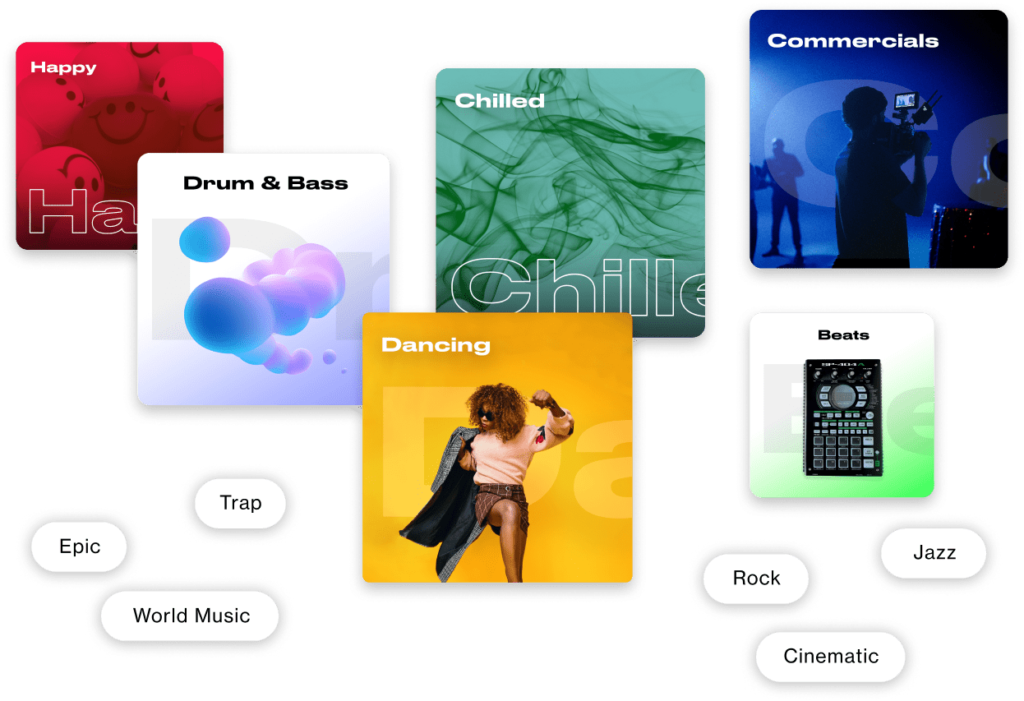
What kinds of tracks can Loudly generate (genres, moods, BPM, length)?
The Loudly AI music generator is generally optimized for instrumental/background tracks. In practice, that means you’ll spend more time choosing a vibe than “composing” a song. Expect results that are usually usable, sometimes a bit generic, and often best when layered under dialogue.
Common control dimensions you can typically use (or approximate via prompts/filters):
Genres & styles: pop, hip-hop, EDM, cinematic, lo-fi, ambient, corporate, etc.
Moods: uplifting, chill, dark, dreamy, energetic, motivational.
Tempo / BPM: helpful when you want cuts to hit on beats (e.g., 90 BPM for vlogs).
Track length: short for intros, longer for continuous B-roll sections.
Energy / intensity: essential to keep music from overpowering voiceover.
Instrumentation “feel”: synth-heavy vs acoustic-ish palettes (varies by tool settings).
Expectation management: Loudly is great when you treat it like a smart music bed generator. If you need a track that feels like a distinct artist identity, you may need more advanced arrangement control (or a different tool category).

What does “royalty-free” mean here (and what it doesn’t)?
“Royalty-free” in creator tooling is often misunderstood. With Loudly, the practical question is: do you have permission to use the generated track in commercial content without paying per-use royalties? That’s different from owning the copyright.
A plain-English way to think about it:
For the most accurate wording, check Loudly’s official FAQ before you publish client work.
“Royalty-free” doesn’t automatically mean “you own it.” It usually means “you’re licensed to use it,” often non-exclusively and under specific plan conditions.
Loudly AI music generator: how it works (a beginner-friendly walkthrough)
If you’ve never used an AI music generator, Loudly’s workflow is simple: you’re guiding a generation engine, then editing for fitness-to-video. The fastest path is to generate several options, pick the best, and only then micro-tune.
A beginner-friendly 5-step flow:
Choose direction: pick a genre/mood (and optionally tempo/length).
Generate versions: create multiple candidates quickly.
Select the best base: listen for the cleanest intro and stable groove.
Micro-adjust: tweak energy/tempo/length to match your timeline.
Export: download in a format your editor likes (and name files clearly).
A practical habit: save a “channel palette” (2–3 moods you repeat). It speeds up every future upload.
Creating music from a text prompt vs picking a genre: which is faster for creators?
For creators, the fastest method depends on whether you’re exploring or executing:
Text prompts are faster for exploration: you can describe your content and desired vibe in one go.
Genre + parameters is faster for execution: you can reliably hit tempo/length targets and keep results consistent across episodes.
Three prompt templates you can copy and adapt:
Vlog / lifestyle
“Lo-fi chill background for daily vlog, warm tones, 90 BPM, soft drums, 2 minutes, no vocals.”
Tech / tutorial
“Minimal corporate ambient bed for voiceover, clean synths, medium-low energy, 110 BPM, 60 seconds, seamless loop.”
Fitness / hype
“Energetic EDM pulse for short ad, punchy kick, bright synth, 128 BPM, 20 seconds, strong downbeat start.”
If your results feel “close but not quite,” keep the structure and change only one variable (BPM or mood or instrumentation) per iteration—otherwise it’s hard to learn what actually improved the output.
Customization that matters (tempo/key/structure) and what still feels limited
The customizations that usually make the biggest real-world difference for video:
Tempo/BPM: helps your cuts feel intentional (especially montages).
Energy/intensity: makes space for dialogue or ramps up action sequences.
Length: reduces awkward fades; you want the track to “land” naturally.
Where AI background-music tools can still feel limited (and why some outputs sound generic):
Structure control: you may not get precise verse/chorus/bridge editing.
Signature motifs: many tracks aim to be unobtrusive, so melodies can feel “stock-like.”
Fine arrangement details: you might not be able to isolate/remove one instrument that conflicts with your voice.
If you need detailed section control (e.g., “8 bars intro → drop → break → CTA hit”), you may prefer tools designed for full-song structure rather than just background scoring.
Export tips for video editors: loudness, looping, and clean cut points
Exporting is where “good enough” becomes “sounds professional.” Use this quick checklist:
Set safe loudness: keep music lower than voice (start around -20 to -14 LUFS integrated for background, then adjust by ear).
Avoid clipping: if peaks are hitting 0 dB, lower the gain before export.
Choose clean cut points: cut on a downbeat, not mid-note.
Make loops seamless: crossfade 50–200 ms if the tail clicks or reverb jumps.
Name files for speed:
mood_bpm_length_version(e.g.,lofi_90bpm_60s_v3.wav).
10-second loop test (fast and reliable):
Place the track on your timeline.
Cut a 10-second segment that ends on a beat.
Duplicate it back-to-back.
If you hear a “bump,” move the cut by 1–2 beats or add a tiny crossfade.
Build your edit around the music’s first clean 2 seconds. If the intro is messy, your entire video feels less polished.
Loudly pricing: free plan vs paid plans (and what changed for free users in 2024)
Creators usually search “Loudly pricing” because of one thing: downloads + commercial rights. The interface may let you generate plenty of ideas, but the plan determines what you can export and legally use in monetized or client work.
This is also where “free tier” expectations changed for many AI tools in 2024: free plans increasingly focus on testing and saving ideas, while paid plans unlock downloads, higher limits, and clearer commercial usage. For a broader pricing/plan comparison mindset across AI music generators, see this overview from SoundGuys.
Use this decision table to evaluate any Loudly plan page you’re looking at (numbers vary over time, so check the current plan details inside Loudly):

Loudly AI music generator free tier 2024: saves, downloads, and practical limits
The Loudly AI music generator free tier (2024) is usually best treated as a sandbox: generate ideas, test styles, and learn what settings produce consistent results. In many creator tools, the free tier may allow saving projects but can limit downloads and/or commercial usage—which is exactly what most creators ultimately need.
A practical way to “math-check” whether free is enough:
If you post 3 videos/week and each needs 1 unique track, that’s ~12 tracks/month.
If you want A/B options (recommended), generate 3–5 versions per video → 36–60 generations/month.
If the free tier doesn’t let you download 12 usable tracks, you’ll either:
reuse music more often (risking repetition), or
spend time hunting elsewhere (costing more than a subscription).
Bottom line: free is great for style discovery; paid is for publishing at scale.
What you really pay for: commercial license, downloads, and faster iteration
When you subscribe, you’re not just buying features—you’re buying certainty and speed:
Downloads = deliverables. You can actually ship files to your editor or client.
Commercial license = monetization. You can run ads, take sponsorships, and do client work with fewer legal question marks.
Higher limits = faster iteration. Your “good track rate” improves when you can generate more options and pick the best intro/cut points.
Three things to confirm before paying (takes 2 minutes, saves hours later):
Does your plan explicitly include commercial usage for your scenario (YouTube monetization, sponsored videos, client projects)?
Are there any restrictions on redistribution (e.g., uploading as standalone music)?
What proof can you keep (invoice/subscription status) in case of a platform claim?
For the official wording, start with the Loudly FAQ.
Is Loudly worth it if you only need a few tracks per month?
Use this simple decision tree:
Occasional use (1–3 tracks/month): start free, or subscribe short-term only when you have a batch of videos to produce.
Consistent publishing (weekly uploads): subscription is usually worth it—your time cost of searching music elsewhere adds up fast.
You need vocals + full song control: consider a different category of tool, or pair Loudly with something built for lyric songs.
If you’re comparing multiple tools and trying to decide where to spend, this broader “AI tools for music” style roundup can help you build a checklist of must-haves (downloads, licensing clarity, editability): top AI tools for music.
Can you monetize Loudly music? Licensing, copyright, and YouTube Content ID
If your content earns money, the question isn’t “is it good?”—it’s can I monetize Loudly music without getting stuck in rights issues? The best approach is to follow Loudly’s own documentation first, then build a “proof folder” you can use if a claim happens.
Start here: Loudly’s official FAQ on licensing and usage. Then read the plain-language summary below.

What Loudly’s commercial license covers for YouTube, Spotify, and client work
In most creator scenarios, commercial coverage is about where you publish and what you deliver.
YouTube monetization: typically covered when your plan includes commercial use. Keep your subscription/invoice proof and the exported file.
Sponsored videos/brand deals: treat this like commercial work—make sure your plan explicitly covers sponsored content.
Client work (editing for others): you want the right to use the track in the client’s deliverable. Also keep a record of which account generated the track and when.
Ads (paid media): paid placement is the strictest environment—ensure the plan covers advertising usage, not just “social posting.”
One key operational rule many creators follow (and many services emphasize in their terms): generate and publish under an active subscription that includes commercial rights, then keep evidence of that status.
Who owns the track? Key clauses creators miss (in plain English)
Ownership is where people accidentally over-promise to clients. Loudly’s license language matters—read the current terms here: Loudly License Agreement.
In plain English, common patterns in these agreements are:
The platform typically retains ownership (or underlying rights) to the generated content/library.
You typically receive a license to use the track (often non-exclusive).
“Non-exclusive” means others may generate similar tracks, and you generally cannot claim exclusivity.
Three common misconceptions to avoid:
“I bought it, so I own the copyright.” Subscription usually buys a license, not ownership.
“Royalty-free means I can resell the audio.” Many licenses forbid reselling as standalone audio.
“No one else can use something similar.” AI outputs can converge; uniqueness isn’t guaranteed.
What to do if you get a claim: a simple checklist for disputes
Even with a proper license, automated systems can misfire. If you get a Content ID claim or rights complaint, handle it like a process, not a panic.
Checklist:
Save proof: subscription invoice/status + plan name at the time you generated/exported.
Save project evidence: generation timestamps, project IDs/screenshots, export filenames.
Document publication: video URL, upload date, and whether it’s sponsored/monetized.
Dispute with specifics: include that the track was generated in Loudly and used under the license.
Escalate if needed: contact support and attach your proof bundle.
For policy details that may affect disputes, also review Loudly’s Terms and Conditions.
Loudly pros, cons, and real-user complaints (what to watch before subscribing)
No AI tool is perfect—especially when billing, downloads, and licensing are involved. Before subscribing, it’s smart to scan independent user feedback to see recurring patterns. A neutral place to start is Loudly’s public reviews on Trustpilot (read both positive and negative, and focus on repeated themes).
Here’s a balanced decision view:
Three “subscribe self-checks” to reduce risk:
Cancellation clarity: confirm where to cancel and whether there’s a billing cutoff date.
Download rules: confirm what formats you can export on your plan.
License scope: confirm commercial coverage for your exact use case (ads, client work, sponsorships).
What users like: fast results, usable background tracks, creator-friendly workflow
Across reviews and creator discussions, the most consistent “win” for Loudly-style tools is speed:
Short time-to-first-draft: you can get multiple options in minutes.
Decent hit rate for background music: especially for voiceover content, many tracks are “good enough” without heavy editing.
Low learning curve: you don’t need production skills to reach a publishable bed.
The realistic takeaway: Loudly often helps creators maintain upload consistency—one of the biggest drivers of growth—because music stops being a bottleneck.
Common issues: cancellations/billing worries and “generic” sounding outputs
The two most common watch-outs in this category of tools are (1) billing/cancellation confusion and (2) results that feel like stock music.
How to lower the odds of getting burned:
Start monthly, not annual, until you’ve exported real tracks and used them in 2–3 published videos.
Run a style stress test before subscribing long-term: generate 20 tracks across your top 5 content moods and see how many you’d actually publish.
Plan for “generic risk”: if your channel identity depends on unique music branding, you’ll likely want more control or a different tool.
Creators also discuss distribution and usage questions in communities like Reddit—use those threads to spot what people get stuck on, not as legal authority. Example discussion: creator experiences with Loudly and distribution.
Loudly vs other AI music generators: which tool matches your goal?
Choosing an AI music generator is less about “best overall” and more about your output type: background beds vs full songs, and how much control you need.
Use this comparison logic:
Loudly vs Boomy/Soundraw/Mubert for background music
In the “background music” lane, these tools often overlap. The practical differences usually come down to control vs convenience and how cleanly the license terms map to your work.
Three cases where you should pick Loudly:
You want creator-first workflow (generate → pick → export) without production complexity.
You mainly need instrumental beds for video/podcast, not full songs with vocals.
You value fast iteration over detailed arrangement editing.
If you’re still unsure, compare a few tools using the same test: generate “lofi vlog 90 BPM 60s” and see which gives you the cleanest intro + best loop potential.
Loudly vs Suno/Udio if you need vocals and full song structure control
One-sentence difference: Loudly is usually better for background scoring workflows, while Suno/Udio-style tools are built for vocal songs and more “track-like” outcomes.
If your real need is “lyrics + sections + extend/rewrite specific parts,” you’ll likely feel constrained in background-first generators. Creators explicitly ask for detailed lyric section control and alternatives in discussions like this: Udio alternatives for detailed section control.
Best alternatives if Loudly isn’t a fit (try MelodyCraft first)
If Loudly doesn’t match your goal, switch based on the type of music deliverable you need:
Make a full track with lyrics faster: generate with MelodyCraft (workflow snapshot)
If you’re reading this because you want publish-ready music—not just background beds—MelodyCraft is a strong “next step” option: you can go from concept to a complete track faster, especially when vocals and lyrics matter.
30-second workflow snapshot:
Paste an idea (or rough lyrics).
Pick a style and mood reference.
Generate a few versions.
Choose one, then export for your edit or upload.
Mini example (from idea → track):
Idea: “Upbeat indie pop for a product launch, confident chorus, 2 minutes.”
Lyrics seed: 4–8 lines (even rough).
Output goal: a track you can use for a launch teaser + a longer YouTube cut.
If you want royalty-free background only: quick picks and why
If you’re staying in the “background only” category, evaluate alternatives using three criteria:
License clarity: can you clearly map the plan to monetization/client work?
Download limits: can you export enough tracks per month for your posting cadence?
Control level: can you reliably hit BPM/energy/length for clean edits?
If you want a broader shortlist to compare against, this kind of roundup can help you build your test plan: top AI tools for music.
Loudly FAQ (quick answers people search before trying it)
Q: Is Loudly free to use?
A: You can usually try Loudly with a free plan, but free tiers often focus on generating/saving ideas and may limit downloads or commercial usage. Check the current plan details before relying on it for client work.
Q: Can I use Loudly music for commercial projects?
A: If your plan includes a commercial license, Loudly music is generally intended for monetized content and business use. Confirm coverage for your scenario in the official Loudly FAQ.
Q: Is Loudly legit and safe to use?
A: Evaluate legitimacy by checking whether licensing terms are clear, whether there’s reachable support, and how consistent user feedback is on review sites like Trustpilot. Don’t rely on a single review—look for repeated patterns.
Q: Can I use Loudly music in paid client projects and sponsored videos?
A: Typically yes if your subscription includes commercial rights and your usage matches the license scope. For client deliveries, keep proof of your plan/subscription status and the export record in case questions come up later.
Q: Will Loudly tracks get copyright claims on YouTube?
A: It can happen (automated systems aren’t perfect), even when you’re properly licensed. If you get a claim, follow a proof-first process (invoice/subscription status, export record, timestamps) and reference Loudly’s relevant policies in their Terms and Conditions.

Make Ready-to-Publish Music in Minutes 🎵
Go from idea to finished track quickly. No technical skills required.